
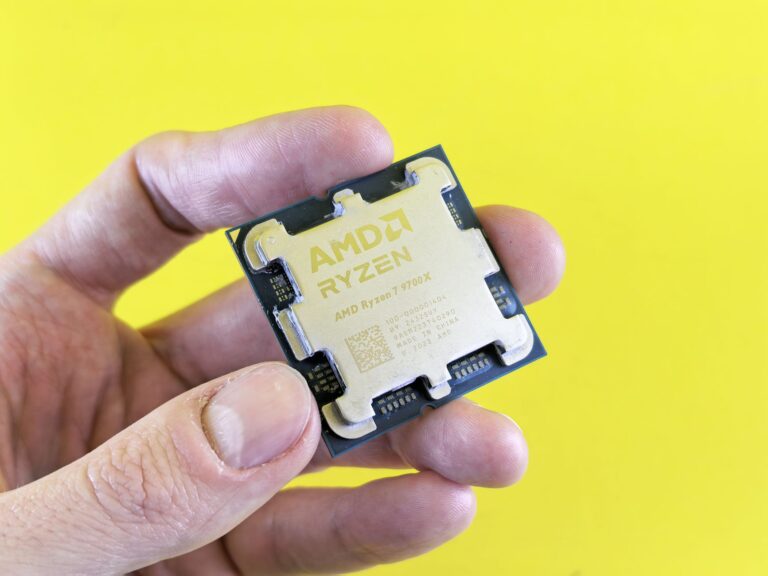
Understanding AMD’s Ryzen Naming Scheme
When you start looking at laptops powered by AMD’s Ryzen processors, you’ll quickly notice a jumble of letters after the model number: U, H, HS, HX, and even HR. For many shoppers, these suffixes are a source of confusion. The good news is that each suffix tells you something concrete about the chip’s design goals, power envelope, and performance expectations. In this article we’ll focus on the HX designation—what it means, how it differs from the other Ryzen variants, and why it matters when you’re choosing a laptop.
What “HX” Stands For
AMD’s internal naming convention uses the “X” to indicate a high‑performance, unlocked core design. The preceding “H” historically signified a “high‑performance” mobile processor intended for gaming laptops and mobile workstations. When AMD added the extra “X,” it signaled an even more performance‑focused version of the “H” line.
In short, HX = High‑performance, eXtended TDP. The “X” tells you that the chip can run at a higher thermal design power (TDP) than a standard “H” part, which translates to higher sustained clock speeds and, generally, better multi‑core performance.
How HX Differs From H, HS, and U
To put HX in context, let’s compare it with the other common suffixes you’ll see on Ryzen mobile CPUs:
- U (Ultra‑low power) – Designed for thin‑and‑light notebooks. Typical TDP ranges from 15 W to 25 W, prioritizing battery life over raw speed.
- H (High performance) – Targets mainstream gaming and creator laptops. TDP usually sits around 35 W to 45 W.
- HS (High performance, Small) – A power‑optimized version of the “H” line, often capped at 35 W to fit slimmer chassis while retaining most of the core count.
- HX (High performance, eXtended TDP) – Allows the chip to draw more power—typically up to 45 W or higher—unlocking higher boost clocks and better thermal headroom.
These distinctions are not just marketing fluff; they affect real‑world outcomes such as frame rates in games, rendering times in video‑editing software, and how long a laptop can stay on a single charge.
The Technical Rationale Behind the Higher TDP
AMD’s Ryzen 6000, 7000, and newer series share a common architecture based on Zen 3+ and Zen 4 cores. The silicon itself is the same across the H, HS, and HX families; what changes is the firmware and power delivery configuration. By granting the chip a higher TDP ceiling, AMD can let the CPU maintain its maximum boost frequency for longer periods before thermal throttling kicks in.
In practice, this means an HX processor may sustain boost clocks that are 200–300 MHz higher than an equivalent H part during intensive workloads. The higher power budget also gives the integrated graphics (when present) a larger headroom, which can be noticeable in titles that rely heavily on the Radeon Vega or RDNA 2 GPU embedded in the APU.
Real‑World Performance: What the Benchmarks Show
Independent reviewers have consistently observed that HX‑rated CPUs outperform their H counterparts in multi‑core benchmarks such as Cinebench R23 and in sustained gaming sessions where the GPU and CPU both run hot. The difference is most pronounced in scenarios that keep the CPU at high load for extended periods—think 3D rendering, video transcoding, or running AI inference workloads locally.
For single‑core tasks, the gap narrows because both H and HX chips can hit similar boost peaks for short bursts. However, when thermal limits are reached, the HX part is more likely to stay at that peak, delivering smoother frame rates in titles with high CPU demand (e.g., simulation or strategy games).
Who Should Look for an HX‑Labeled Laptop?
If you fall into any of the following categories, an HX laptop is worth a closer look:
- Enthusiast gamers who want the highest possible frame rates without stepping up to a dedicated desktop.
- Content creators—video editors, 3D artists, and photographers—who regularly run multi‑threaded rendering or encoding tools.
- Developers and data scientists who run local builds, compile large codebases, or experiment with machine‑learning models.
- Power users who plan to keep the laptop plugged in most of the time and prioritize performance over battery life.
Conversely, if you prioritize ultra‑light form factors, long battery life, or you primarily use cloud‑based services for heavy work, an “U” or “HS” model may be a better match.
Impact on Battery Life and Thermals
The trade‑off for the performance boost is higher power consumption. In real‑world testing, laptops with HX CPUs often see a 10–20 % reduction in battery life compared to an H‑based machine with a similar screen size and capacity. That said, many manufacturers pair HX chips with larger batteries (up to 99 Wh) and advanced cooling solutions—dual fans, vapor‑chamber heat spreaders, or even liquid metal on the CPU die—to keep temperatures in check.
Because the HX part can run hotter, proper ventilation becomes crucial. Users should avoid placing the laptop on soft surfaces that block airflow, and they may notice a slight increase in fan noise during prolonged workloads. However, the same thermal headroom also means the system can sustain higher performance without the abrupt throttling that sometimes plagues lower‑TDP designs.
The Future of HX: Where AMD Is Heading
AMD’s roadmap suggests that the HX badge will continue to evolve alongside the main Zen architecture. As process nodes improve (e.g., moving to 5 nm and beyond), the same power budget can deliver even more performance, narrowing the gap between laptop and desktop CPUs. Additionally, with the growing prevalence of AI‑accelerated workloads, AMD may introduce HX variants that pair the CPU core clusters with dedicated AI inference engines, further expanding the “high‑performance” promise.
For consumers, the key takeaway is that the HX label will likely remain a reliable shorthand for “this laptop is built for sustained, demanding use.” As long as you understand the associated power and thermal implications, you can make an informed decision that aligns with your workload and mobility needs.
Bottom Line: Is HX the Right Choice for You?
Choosing a laptop is all about balancing performance, portability, and price. The AMD Ryzen HX designation tells you that the machine is engineered to run at a higher power envelope, delivering stronger sustained performance for heavy multitasking, gaming, and content creation. If those are the tasks you live for—and you don’t mind a slightly heavier chassis or a modest hit to battery life—an HX‑powered laptop is a solid investment.
On the other hand, if your daily routine leans toward web browsing, office productivity, and occasional media consumption, the lower‑TDP U or HS models will likely give you better battery endurance and a lighter package. As always, read reviews that focus on the specific laptop model you’re eyeing, because cooling design and power‑delivery implementation can vary widely even within the same HX family.
In the end, the “X” in HX is not just a letter—it’s a promise of extra horsepower, a higher thermal ceiling, and a laptop that can keep up when the workload gets serious. Armed with this knowledge, you can now decode the Ryzen suffixes and pick the machine that truly fits your needs.
