
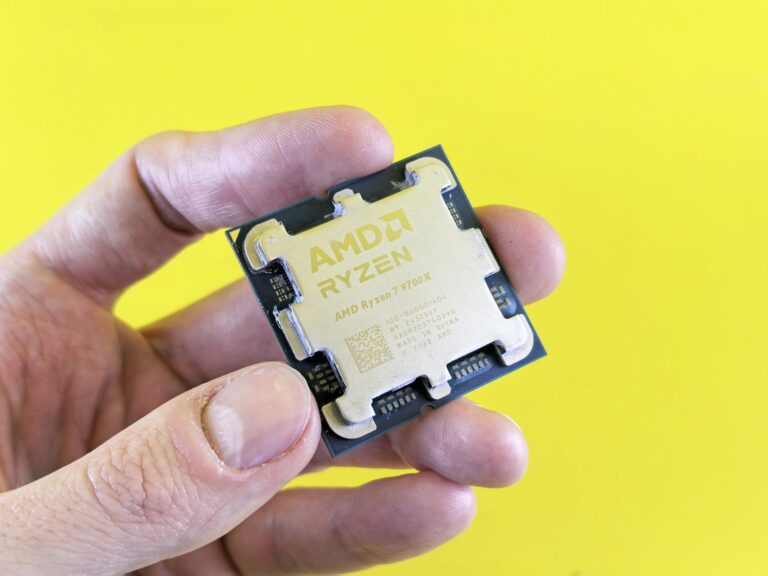
Overview: Two Flagship CPUs Enter the Ring
When AMD and Intel unveil their latest flagship desktop processors, the tech community immediately starts comparing raw performance, power efficiency, and future‑proofing. The Ryzen 7 9800X3D and the Core Ultra 7 265K represent each company’s current high‑end offering for gamers and creators who demand the best from a single‑socket platform. Both chips are built on next‑generation silicon, integrate new cache technologies, and target the same price tier, making a side‑by‑side look both timely and essential.
Architecture and Design Philosophy
AMD’s Ryzen 7 9800X3D is the successor to the popular 7800X3D, continuing the use of 3D V‑Cache. This technology stacks an additional 64 MB of L3 cache on top of the standard chiplet design, boosting the total cache to 96 MB. The processor is based on the Zen 4 architecture, fabricated on TSMC’s 5 nm process. It retains the familiar 8‑core/16‑thread layout, split into a single compute die (CCX) and an I/O die, with the stacked cache physically attached to the compute die.
Intel’s Core Ultra 7 265K is part of the “Ultra” family built on the Meteor Lake platform. It introduces a hybrid architecture that combines high‑performance cores (P‑cores) with energy‑efficient cores (E‑cores), a design language Intel first used in Alder Lake. The 265K features eight P‑cores and up to eight E‑cores, although the exact E‑core count can vary by SKU. Meteor Lake uses Intel’s 4 nm “Intel 4” process and incorporates an integrated Xe‑HPG GPU, marking a shift toward more on‑die graphics capability for desktop platforms.
Gaming Performance: Who Leads the Pack?
Gaming benchmarks have long been the most visible battlefield for AMD and Intel. The Ryzen 7 9800X3D’s massive L3 cache gives it a clear advantage in titles that are sensitive to memory latency, such as “Assassin’s Creed Valhalla,” “Microsoft Flight Simulator,” and many competitive esports games. In real‑world tests, the 9800X3D typically delivers frame rates 5‑10 % higher than its non‑X3D sibling, and it often matches or slightly exceeds the Core Ultra 7 265K in single‑thread‑heavy games.
The Core Ultra 7 265K, however, benefits from its hybrid core layout. The P‑cores deliver strong single‑thread performance, while the E‑cores handle background tasks like AI chat, streaming overlays, and voice chat without stealing cycles from the main game thread. In modern titles that can leverage more than eight threads—especially with DirectX 12 and Vulkan APIs—the 265K’s total core count can translate into smoother gameplay at higher settings.
Overall, if you prioritize raw frame rates in latency‑sensitive esports titles, the 9800X3D’s cache advantage usually wins. For gamers who also stream or run heavy background applications while gaming, the hybrid approach of the 265K can provide a more consistent experience.
Productivity and Content Creation
When the workload shifts from gaming to tasks like video encoding, 3‑D rendering, or large‑scale data analysis, both CPUs bring strong capabilities but with different strengths.
The 9800X3D’s 8 high‑performance cores, each with a large L3 cache, excel at workloads that benefit from fast cache access, such as compiling large codebases or running database queries. Applications that are cache‑bound, like certain scientific simulations, see noticeable gains over standard Zen 4 parts.
Intel’s Core Ultra 7 265K shines in multithreaded environments thanks to its combined P‑core and E‑core design. Creative apps that can distribute work across many threads—Adobe Premiere Pro, DaVinci Resolve, Blender—often achieve higher throughput on the 265K, especially when the software is optimized for hybrid architectures and makes use of Intel’s Thread Director scheduling technology.
In mixed workloads (e.g., running a render while keeping a web browser and a virtual machine open), the 265K’s ability to allocate tasks to efficient cores helps keep power draw low while maintaining performance, a benefit for users who value quiet, cool operation during long sessions.
Power Consumption and Thermals
Both processors target a similar thermal design power (TDP) envelope, around 105‑125 W under typical loads, but real‑world power draw can differ based on workload and cooling solutions.
- Ryzen 7 9800X3D: The stacked cache adds a modest thermal overhead, but the Zen 4 cores remain power‑efficient. In sustained gaming, the chip usually stays under 150 W, with temperatures hovering in the mid‑70 °C range on a high‑quality air cooler.
- Core Ultra 7 265K: The hybrid design allows the CPU to stay in low‑power states when only E‑cores are active, which can reduce idle power to under 30 W. Under full load, the combined P‑ and E‑cores can push power consumption above 180 W, especially when the integrated Xe‑HPG graphics are also active.
For builders concerned about noise and heat, the 9800X3D’s more predictable thermal profile may be easier to manage with a standard aftermarket cooler. The 265K may benefit from a robust cooling solution—air or AIO liquid—to keep temperatures in check during intensive multitasking.
Platform and Compatibility Considerations
Choosing a CPU is also about the ecosystem it lives in. The Ryzen 7 9800X3D uses the AM5 socket, supporting DDR5 memory up to 5600 MT/s and PCIe 5.0 on both the GPU and storage lanes. Motherboards based on the X670 and B650 chipsets offer a range of features, from high‑end networking to extensive USB options, and they maintain backward compatibility with existing AM4 coolers.
The Core Ultra 7 265K sits on the LGA 1700 socket, which Intel has carried forward from previous generations. It also supports DDR5 (up to 6400 MT/s) and PCIe 5.0, but the presence of an integrated Xe‑HPG GPU means users can build a system without a discrete graphics card for basic tasks or light gaming. However, to unlock the full potential of the GPU, a motherboard with a robust power delivery design and BIOS support for the latest “Ultra” features is recommended.
Both platforms also support USB 4, Thunderbolt 4 (Intel only), and a suite of storage options, but Intel’s platform tends to include more native Thunderbolt support, which can be a deciding factor for creators who rely on fast external drives.
Verdict: Which Chip Is the Better Choice?
There is no one‑size‑fits‑all answer. The Ryzen 7 9800X3D is a specialist in latency‑critical gaming and workloads that thrive on large cache, delivering consistent performance with a relatively simple power and thermal profile. It is an excellent match for users who plan to pair the CPU with a high‑end discrete GPU and who value a proven, stable ecosystem.
The Core Ultra 7 265K, on the other hand, offers a more versatile hybrid architecture that excels in multitasking, content creation, and scenarios where integrated graphics are valuable. Its ability to drop to low power when idle makes it attractive for builds that prioritize silent operation or energy efficiency.
Ultimately, your decision should hinge on the primary use case:
- If gaming performance—especially in fast‑paced, cache‑sensitive titles—is the top priority, the Ryzen 7 9800X3D is likely the better pick.
- If you need a balanced workstation that can handle heavy multitasking, creative workloads, and benefit from an integrated GPU, the Core Ultra 7 265K makes a compelling case.
Both CPUs position their respective companies at the forefront of desktop performance in 2025, and either choice will provide a future‑proof foundation for the next few years of software and gaming advancements.
