
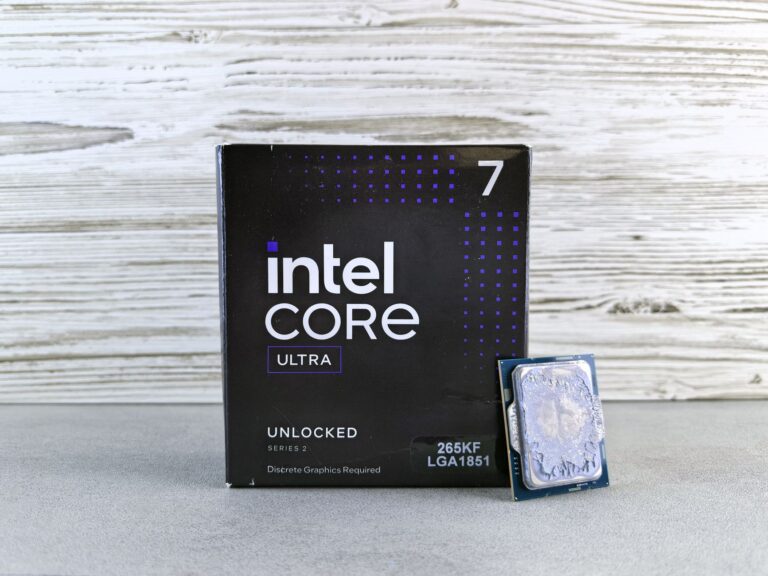
Understanding the Naming Landscape
When Intel rolled out the “Core Ultra” moniker, it sparked a wave of curiosity among builders and casual users alike. The name sits alongside the familiar Core i3, i5, i7 and i9 tiers, but it isn’t a simple rebrand of an existing line. Instead, Core Ultra signals a new architectural generation that blends Intel’s latest process technology with a refreshed design philosophy. By contrast, the Core i5 designation has been a workhorse of the mid‑range market for over a decade, evolving through several microarchitectures and manufacturing nodes. Recognizing the distinction between a naming strategy and the underlying silicon is the first step in making an informed buying decision.
Market Positioning and Target Audiences
Core Ultra processors are positioned as premium, enthusiast‑grade solutions for laptops and desktops that demand top‑tier performance, advanced AI acceleration, and cutting‑edge graphics. Intel markets them toward power users, creators, and gamers who want the latest features without stepping into the “Core i9” price bracket. The Core i5 line, meanwhile, continues to serve mainstream consumers who need solid everyday performance for productivity, light gaming, and media consumption. It’s the go‑to choice for budget‑conscious shoppers and for OEMs building cost‑effective machines.
Architectural Foundations
Both Core Ultra and the latest Core i5 chips share Intel’s hybrid architecture—a mix of high‑performance “P‑cores” and energy‑efficient “E‑cores.” However, Core Ultra chips are built on Intel’s newest 7nm‑class process (often referred to as Intel 4), which brings higher transistor density and lower power leakage compared to the 10nm process still used for many recent i5 models. The architectural refinements in Core Ultra also include:
- Enhanced AI instruction sets that accelerate on‑chip machine‑learning workloads.
- Upgraded cache hierarchy, providing larger L2/L3 caches per core.
- Improved thread scheduling thanks to a more sophisticated Intel Thread Director.
These changes translate into better single‑thread responsiveness and higher multi‑core throughput, especially in tasks that can leverage the AI extensions or larger caches.
Performance in Real‑World Scenarios
Independent testing consistently shows Core Ultra processors pulling ahead of contemporary Core i5 models in both synthetic benchmarks and everyday applications. The advantage is most noticeable in workloads that stress the CPU’s high‑performance cores, such as video rendering, 3D modeling, and modern game titles that rely on high clock speeds. In contrast, for typical office tasks—word processing, spreadsheets, web browsing—the performance gap narrows, and a Core i5 can feel indistinguishable from its Ultra counterpart. Multi‑threaded productivity suites, like photo editing software that can distribute work across many cores, also benefit from the extra cores and larger caches found in Core Ultra silicon.
Integrated Graphics and Media Capabilities
One of the standout differences lies in the integrated graphics. Core Ultra CPUs ship with the latest Xe‑LP graphics architecture, offering higher compute units and support for newer display standards such as HDMI 2.1 and DisplayPort 2.0. This makes them suitable for light to moderate gaming, 4K video playback, and even some creative workflows that rely on GPU acceleration. Core i5 chips, especially those from the 12th‑generation line, typically include Intel UHD Graphics based on the older Xe‑LP iteration, which still handles everyday video and office work well but may struggle with more demanding graphics tasks. For users who plan to add a discrete GPU, the integrated graphics distinction matters less, but for thin‑and‑light laptops it can be a decisive factor.
Power Efficiency, Thermals, and Battery Life
Because Core Ultra leverages a newer manufacturing node, it generally achieves better performance‑per‑watt ratios than a comparable Core i5 built on an older process. In laptop form factors, this can translate to slightly longer battery life when the system is idle or running low‑intensity workloads, thanks to more efficient E‑cores and refined power gating. However, the higher performance ceiling of Core Ultra also means that under sustained heavy loads, the chip can draw more power and generate additional heat, requiring robust cooling solutions. Core i5 models, with their more modest power envelopes, often run cooler in thin laptops, which can be an advantage for users who prioritize silent operation over raw horsepower.
Choosing Between Core Ultra and Core i5
Deciding which processor family is right for you hinges on a few practical considerations:
- Use case: If your daily routine includes heavy content creation, AI‑enhanced applications, or you want future‑proof gaming performance, Core Ultra is the stronger candidate.
- Budget constraints: Core i5 systems typically deliver excellent value for standard productivity, streaming, and casual gaming needs.
- Form factor: Thin‑and‑light laptops benefit from the efficiency of Core i5, while larger chassis can accommodate the cooling demands of Core Ultra.
- Upgrade path: Both families sit on the LGA 1700 socket (for desktop) and are compatible with recent 600‑series chipsets, but checking motherboard BIOS support is essential if you plan a future upgrade.
In practice, many consumers find that a well‑chosen Core i5 processor provides more than enough performance for everyday tasks while leaving room in the budget for a higher‑resolution display, additional RAM, or a faster SSD. Power users, on the other hand, who anticipate workloads that will push the CPU and GPU simultaneously—such as 4K video editing or real‑time AI inference—will appreciate the extra headroom that Core Ultra delivers.
Looking Ahead: What the Future Holds
Intel’s roadmap suggests that the Core Ultra brand will continue to evolve, integrating even tighter AI accelerators and further refined process technology. Meanwhile, the Core i5 line is expected to adopt those same architectural innovations in future generations, narrowing the feature gap over time. For now, the decision is less about “which is better” and more about “which aligns with your priorities.” By understanding the architectural differences, performance characteristics, and real‑world implications, you can select the processor that best fits your workflow, budget, and device preferences.
