
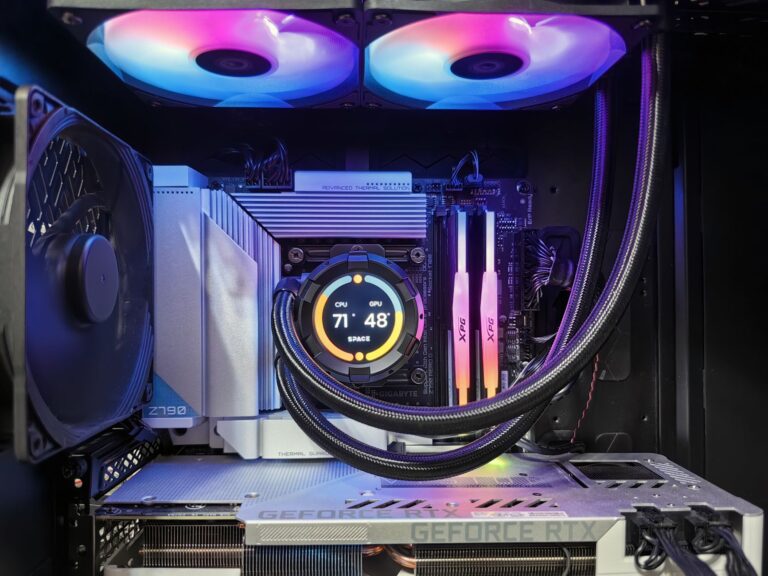
What a CPU Really Is
The central processing unit, or CPU, is often called the “brain” of a computer. It executes the operating system and runs the software that you interact with daily—web browsers, word processors, games, and everything in between. A CPU is designed for flexibility: it can handle a wide variety of instructions, from simple arithmetic to complex branching logic. Modern desktop and laptop CPUs typically have between four and sixteen cores, each capable of handling its own thread of execution. This multi‑core design lets a CPU manage several tasks at once, but each core still processes instructions in a largely sequential manner, making it ideal for tasks that require a lot of decision‑making and control flow.
What a GPU Actually Does
Graphics processing units, or GPUs, began as specialized chips for rendering images on a screen. Over time, engineers discovered that the same architecture—thousands of tiny, simple cores working in parallel—was perfect for any workload that could be broken into many identical operations. Today, a typical consumer GPU contains several thousand cores that can perform the same calculation on many data points simultaneously. This makes GPUs especially powerful for graphics rendering, scientific simulations, machine‑learning inference, and cryptocurrency mining, where the same operation needs to be repeated across massive data sets.
Architectural Differences: Parallelism vs. Generality
At a high level, the CPU’s strength lies in its ability to quickly switch between many different types of tasks, thanks to large caches, sophisticated branch prediction, and out‑of‑order execution. In contrast, a GPU sacrifices some of that flexibility for raw parallel throughput. A GPU’s memory hierarchy is optimized for streaming large blocks of data rather than the low‑latency random access that a CPU excels at.
- Core count: CPUs have a handful of powerful cores; GPUs have thousands of simpler cores.
- Instruction set: CPUs support a broad instruction set for diverse operations; GPUs focus on a narrower set tailored to parallel math.
- Cache design: CPUs feature deep, multi‑level caches for low‑latency access; GPUs rely on high‑bandwidth memory and shared caches across many cores.
Because of these design choices, a CPU can finish a complex algorithm that requires many conditional branches faster than a GPU, while a GPU can finish a massive matrix multiplication in a fraction of the time.
How CPUs and GPUs Work Together
In most modern systems, the CPU and GPU are not competitors but collaborators. The operating system delegates graphics and parallel workloads to the GPU, while the CPU continues to handle system management, input/output, and tasks that need fine‑grained control. For example, when you play a video game, the CPU processes game logic, AI, and physics, then hands off the rendering of each frame to the GPU. In data‑science pipelines, a CPU may load and preprocess data, after which the GPU performs the heavy lifting of training a neural network. This division of labor allows each processor to operate in the domain where it is most efficient.
Choosing the Right Processor for Your Needs
Deciding whether to prioritize CPU power, GPU capability, or a balanced combination depends largely on the tasks you expect to perform.
- Everyday computing (web browsing, office apps): A modern CPU with a few cores is more than sufficient; a dedicated GPU adds little value.
- Creative work (video editing, 3D modeling): Look for a strong CPU paired with a mid‑to‑high‑end GPU that can accelerate rendering and effects.
- Gaming: Both matter—high clock speeds and multiple CPU cores keep gameplay smooth, while a powerful GPU determines visual fidelity and frame rates.
- Machine learning or scientific simulations: A high‑performance GPU can dramatically reduce compute time, but a capable CPU is still needed for data handling and orchestration.
When budgeting, consider the bottleneck that will most limit your workflow. Upgrading a weak CPU while keeping an already strong GPU often yields more noticeable performance gains for parallel‑heavy tasks, and vice versa for workloads that are CPU‑bound.
Future Trends: Heterogeneous Computing and Integrated Designs
Both industry leaders and academic researchers are pushing toward tighter integration of CPU and GPU resources. Heterogeneous computing platforms, such as AMD’s Accelerated Processing Units (APUs) and Intel’s Xe graphics architecture, combine CPU and GPU cores on a single die, reducing latency and power consumption. Meanwhile, technologies like NVIDIA’s CUDA and AMD’s ROCm continue to evolve, offering developers more seamless ways to write code that can run on either processor type. Another emerging area is the use of specialized accelerators—tensor cores for AI, ray‑tracing cores for realistic lighting, and even dedicated video‑decode blocks—that sit alongside traditional GPU cores. These innovations suggest a future where the line between “CPU” and “GPU” blurs, with systems automatically assigning tasks to the most appropriate compute engine.
Practical Tips for Getting the Most Out of Your Hardware
Regardless of whether you’re building a new PC, upgrading a laptop, or simply tweaking settings, a few best practices can help you maximize performance.
- Keep drivers up to date: GPU manufacturers release driver updates that improve performance and fix bugs for the latest games and applications.
- Match your workload to your hardware: Use software settings to enable GPU acceleration where available (e.g., video editing suites, photo editors, and AI tools).
- Monitor temperatures: Both CPUs and GPUs can throttle performance if they overheat; adequate cooling and clean airflow are essential.
- Balance power delivery: In desktop builds, a power supply that comfortably handles the combined draw of CPU and GPU ensures stability under load.
- Consider future‑proofing: If you anticipate moving into AI or high‑resolution gaming, investing in a GPU with ample VRAM and support for the latest APIs (DirectX 12, Vulkan) can extend the useful life of your system.
By understanding the strengths and limitations of each processor type, you can make informed decisions that keep your computer running efficiently for the tasks you care about most.
