
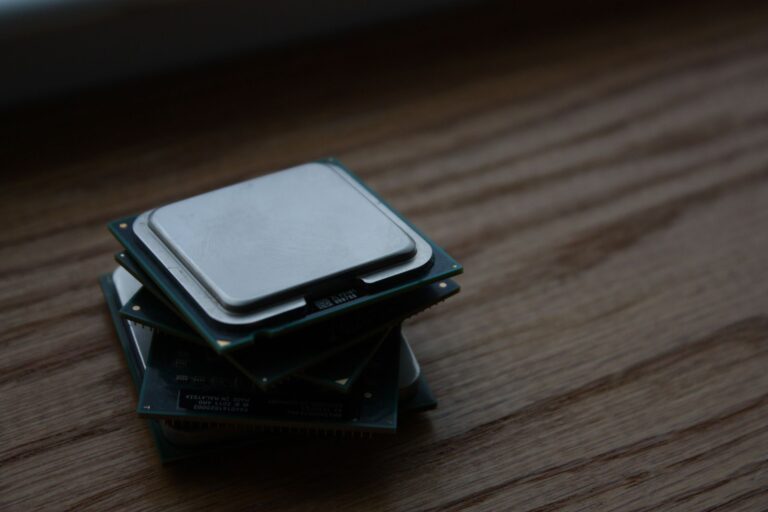
Understanding the Concept of CPU Boost Clock
When you look at a processor’s specifications, you’ll often see two clock speeds listed: a base clock and a boost clock. While the base clock represents the frequency a CPU can sustain under normal workloads, the boost clock is a dynamic, short‑term frequency that the processor can reach when extra performance is needed. In essence, the boost clock is the chip’s way of delivering extra horsepower on demand, without permanently increasing power draw or heat output.
How Boost Clock Works Behind the Scenes
Modern CPUs are equipped with sophisticated power‑management logic that continuously monitors workload, temperature, power delivery, and other operating conditions. When a demanding task such as game rendering, video encoding, or a single‑threaded application spikes, the processor’s internal controller evaluates whether there is enough headroom to raise the frequency of one or more cores. If the conditions are favorable—meaning temperature is within limits, the power delivery subsystem can supply the required current, and the silicon is not already operating at its maximum safe voltage—the chip will temporarily increase the clock speed of the active cores to the advertised boost frequency.
This increase is not static. The boost clock can vary from one moment to the next, depending on how many cores are active and how much thermal and power margin remains. For example, a quad‑core processor might boost a single core to a higher frequency than it would when all four cores are under load. This behavior maximizes performance for workloads that benefit from higher per‑core speeds while still protecting the chip from overheating.
Key Factors That Influence Boost Performance
Several variables determine how often and how high a CPU can boost:
- Thermal headroom: The processor must stay below its maximum safe temperature (often referred to as Tjmax). Good cooling solutions allow the CPU to maintain boost frequencies longer.
- Power budget: Desktop platforms typically have higher power limits than laptops, giving them more room to sustain boost frequencies.
- Workload type: Single‑threaded tasks can push a core higher than multi‑threaded workloads that spread the load across many cores.
- Silicon quality: Manufacturing variations mean some chips can boost higher or for longer periods—sometimes referred to as the “silicon lottery.”
- Firmware and BIOS settings: Users can enable or disable boost technologies, or adjust related parameters such as power limits and temperature thresholds.
Boost Technologies from the Major CPU Vendors
Both Intel and AMD have branded implementations of dynamic frequency scaling, but the underlying principles are similar.
Intel’s Turbo Boost technology evaluates the active core count, power consumption, and temperature to decide the maximum turbo frequency for a given scenario. The processor may offer multiple turbo levels, such as “Turbo 2.0 GHz for one core” and “Turbo 1.8 GHz for four cores,” each reflecting the balance between performance and power.
AMD’s Precision Boost works on comparable logic, using a combination of “Boost Frequency” tables and real‑time telemetry to adjust frequencies. AMD also offers “Precision Boost 2” and “Precision Boost Overdrive,” which provide more granular control and higher potential boost frequencies when the system’s cooling and power delivery allow.
Both vendors continuously refine their algorithms with each new microarchitecture, improving how quickly the CPU can react to changing workloads and how efficiently it can stay within safe operating limits.
Impact on Real‑World Performance
For most users, boost clock is the primary driver of everyday responsiveness. A web browser with multiple tabs, a spreadsheet with complex formulas, or a game that relies heavily on a single core will often see the CPU push up to its boost frequency, delivering smoother performance than the base clock alone would suggest.
Benchmark tests typically report both “single‑core boost” and “multi‑core boost” scores, reflecting how the processor behaves under different loading conditions. In real‑world scenarios, the difference can be noticeable:
- Loading a large development environment may feel snappier when a single core can reach higher frequencies.
- Rendering a video using all cores will still benefit from boost, but the maximum frequency will be lower because the power and thermal budget is shared.
Because boost clock is dynamic, it is less useful as a sole metric for comparing CPUs. A higher boost frequency on paper does not automatically translate to better performance if the processor cannot sustain it due to thermal constraints or a lower power envelope.
Boost Clock vs. Manual Overclocking
Boost clock is an automatic, firmware‑controlled feature that respects the processor’s built‑in safety limits. Manual overclocking, on the other hand, involves the user setting a fixed higher frequency (and often a higher voltage) through BIOS or software tools. While overclocking can push a chip beyond its advertised boost ceiling, it also carries higher risk of instability, increased heat output, and potential long‑term wear.
Boost technology provides many of the benefits of overclocking—higher performance when needed—while keeping the system within the manufacturer’s tested safety envelope. For most consumers, relying on boost clock is the smarter, more reliable approach.
Practical Tips for Getting the Most Out of Boost Clock
Because boost performance is heavily dependent on temperature and power delivery, users can take several practical steps to ensure the CPU reaches its advertised frequencies as often as possible:
- Improve cooling: High‑quality air coolers, all‑in‑one liquid coolers, or custom water loops can lower CPU temperatures, giving the processor more thermal headroom.
- Maintain clean airflow: Dust buildup on heatsinks and fans reduces cooling efficiency, which can cause the CPU to throttle boost frequencies.
- Use a robust power supply: A stable, high‑quality PSU ensures the CPU receives consistent voltage under load.
- Update BIOS/UEFI: Firmware updates often include refinements to boost algorithms and power‑limit settings.
- Monitor with software: Tools like HWMonitor, Ryzen Master, or Intel Extreme Tuning Utility let you watch boost frequencies, temperatures, and power draw in real time.
For laptop users, the situation is more constrained. Thin‑and‑light designs often have limited cooling capacity, so the CPU may spend less time at boost frequencies. Choosing a model with a larger chassis or a dedicated cooling solution can make a noticeable difference.
Looking Ahead: The Future of Dynamic Frequency Scaling
As semiconductor technology continues to evolve, the line between base and boost clocks is becoming increasingly blurred. New architectures are adopting finer‑grained power management, allowing individual cores to adjust frequency in smaller increments. Combined with machine‑learning‑driven prediction models, future CPUs may anticipate workload spikes before they occur, pre‑emptively adjusting frequencies for optimal performance.
Additionally, the rise of heterogeneous computing—where CPUs work alongside specialized accelerators such as GPUs, AI cores, and dedicated media engines—means that boost logic will need to coordinate across multiple processing units. The goal remains the same: deliver the right amount of performance at the right time while staying within thermal and power limits.
For consumers, this evolution means that the boost clock you see on a spec sheet will likely become an even more fluid and context‑aware metric. Understanding the principles behind it—how temperature, power, and workload interact—will help you make informed decisions about cooling, system design, and everyday usage.
