
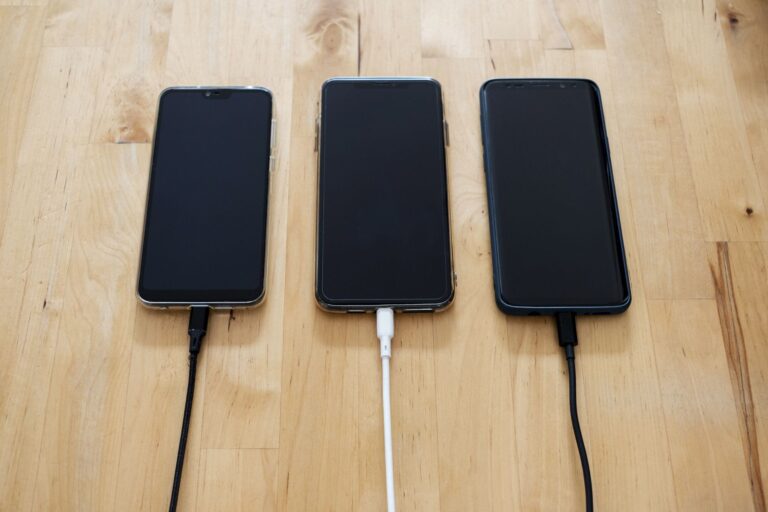
Myth #1: “Unplug the charger the moment the battery hits 100%”
When you first started using a smartphone, you probably learned the rule “don’t over‑charge” from a friend or a warning label on the charger. Modern phones, however, are built around lithium‑ion cells that include sophisticated charge‑management circuitry. This hardware constantly monitors the voltage of each cell and stops the charging current once the battery reaches its full‑charge voltage—typically around 4.2 volts per cell. In other words, after the phone signals “100 %” it is no longer drawing power from the wall; the charger is either supplying a trickle to keep the battery topped off or is completely idle.
Because of this built‑in safeguard, leaving a phone plugged in for a short period after it reaches 100 % does not cause the chemical “over‑charging” that older nickel‑cadmium batteries suffered. What can happen, though, is a slight increase in the number of charge‑cycle tallies. Every full charge‑discharge pair counts as one cycle, and the battery’s overall capacity will gradually decline with each cycle. Keeping the phone at 100 % for extended periods can add a few extra partial cycles over time, but the effect is modest compared to the wear caused by deep discharges.
Myth #2: “Only the original charger will keep my phone safe”
The original charger that comes with a device is certainly guaranteed to meet the manufacturer’s specifications, but it is not the only safe option. The key parameters for any charger are voltage, current, and the quality of its power‑delivery circuitry. Most smartphones use a standard 5 V USB‑A or USB‑C output for regular charging, and many support higher voltages (9 V, 12 V) under the USB Power Delivery (PD) or proprietary fast‑charging protocols.
Reputable third‑party chargers that are certified by the USB‑IF (the USB Implementers Forum) or carry other recognized safety marks (such as UL, CE, or FCC) will negotiate the correct voltage and current with your phone, just like the OEM charger does. Using a low‑quality charger that does not communicate properly can result in a constant “trickle” charge that is slower, or in rare cases, it might supply an unstable voltage that stresses the battery. The safest practice is to choose chargers that explicitly state compliance with the charging standard your phone uses.
Myth #3: “Fast charging destroys the battery instantly”
Fast charging works by delivering higher power—more watts—than a conventional charger. The phone’s internal power‑management IC splits this power between the battery and the system, often charging the battery at a higher current for the first 50–70 % of the capacity and then tapering down as it approaches full charge. This two‑stage approach protects the cell from the heat and stress that a constant high current would cause.
Tests conducted by independent labs and reported by major manufacturers show that fast charging does not dramatically shorten a lithium‑ion battery’s lifespan compared with standard charging, provided the device’s thermal management keeps temperatures within normal operating ranges. The real enemy of battery health is heat; if a fast‑charging session pushes the phone’s surface temperature above typical limits, it can accelerate degradation. That’s why many phones will reduce the charging speed when they detect high ambient temperature or when the device is being used heavily during the charge.
Myth #4: “Leaving my phone plugged in overnight ruins the battery”
Overnight charging has become the default for most people because it’s convenient. As explained in Myth #1, the phone’s charge controller will stop the charging current once the battery reaches full voltage. Modern smartphones also employ “trickle‑charge” or “maintenance” modes that keep the battery at 100 % without constantly cycling it.
The primary concern with overnight charging is the heat generated by the charger and the phone’s internal components. If you place the phone on a soft surface (like a pillow) that blocks airflow, the temperature can rise enough to affect longevity. Using a well‑ventilated spot and, if possible, a charger with a lower power rating (e.g., a 10 W charger instead of a 25 W one) can mitigate this risk. In everyday use, the impact of overnight charging on battery health is negligible for most users.
Myth #5: “Battery memory is still a problem with modern phones”
Battery “memory” was a real issue with older nickel‑cadmium (NiCd) cells, which could “forget” their full capacity if they were repeatedly recharged before being fully discharged. Lithium‑ion batteries, the chemistry used in virtually all smartphones today, do not suffer from this phenomenon. Their capacity is determined by the amount of active material in the cell, not by the pattern of charge and discharge.
That said, lithium‑ion cells do have a preferred depth‑of‑discharge range. Regularly draining the battery to 0 % or keeping it at 100 % for long periods can cause slightly faster wear than staying within a moderate window (for example, 20 %–80 %). This is why some manufacturers include “optimized battery charging” features that pause the charge at around 80 % and resume it later to align with your typical waking schedule.
Myth #6: “Charging in extreme temperatures kills the battery instantly”
Temperature is the single most influential factor in lithium‑ion battery aging. Charging a phone in a very cold environment (below about 0 °C/32 °F) can temporarily reduce the battery’s effective capacity, making it appear as though the charge level is lower than expected. The chemical reactions slow down, and the phone may display a lower percentage or even pause charging until the battery warms up.
Conversely, charging in a hot environment (above roughly 35 °C/95 °F) can accelerate chemical degradation. Heat speeds up the growth of the solid‑electrolyte interphase (SEI) layer on the anode, which permanently reduces capacity. Manufacturers therefore include temperature sensors that will either slow the charge rate or stop charging altogether if the device becomes too warm.
To protect your battery, avoid leaving your phone on top of a heating pad, under direct sunlight, or in a car on a scorching day while charging. If you need to charge in a cold setting, give the device a few minutes to warm up before plugging it in, or use a charger that supplies a modest amount of power to reduce heat generation.
Practical Tips for Extending Battery Health
While the myths above clarify what you don’t need to worry about, there are still sensible habits that can help you get the most out of your phone’s battery over the long term.
- Keep the device out of extreme heat—avoid charging on a car dashboard or near a radiator.
- If you plan to store a phone for several months, charge it to around 50 % and turn it off.
- Enable any built‑in “optimized charging” or “battery health” feature that your phone offers.
- Use reputable chargers that match the phone’s charging standard (USB‑PD, QC, etc.).
- When possible, charge in short bursts rather than letting the battery run to 0 % every day.
By understanding how modern lithium‑ion batteries and their accompanying control circuits work, you can separate fact from fiction and make charging decisions that fit your lifestyle without fearing hidden damage. The next time you see a headline screaming “Don’t charge past 80 %!” remember that the technology has evolved far beyond the simple, fragile cells of the past, and a little common sense—paired with the phone’s own safeguards—is all you really need.
