
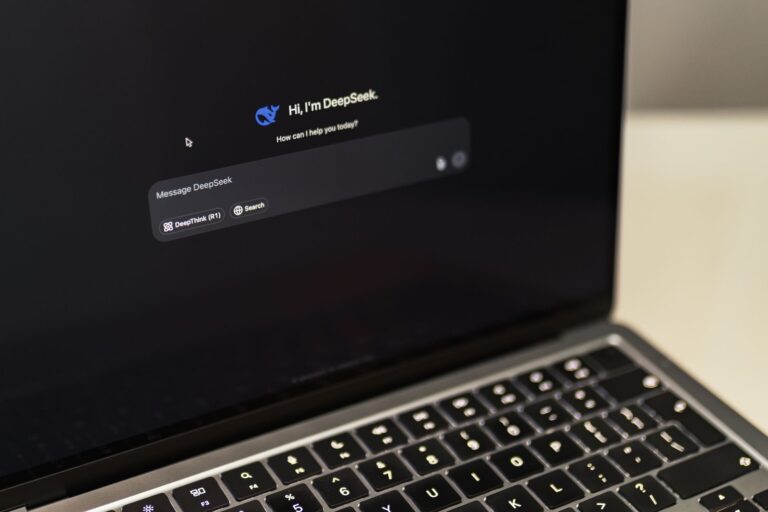
Why Run AI Models Locally?
Running artificial‑intelligence models on your own computer gives you control over privacy, latency, and cost. When the model lives on a remote server you’re subject to internet bandwidth, API pricing, and the terms of the service provider. By hosting the model locally you can experiment offline, customize the architecture, and keep sensitive data out of the cloud. This approach is especially appealing to hobbyists, developers, and small research teams who need a sandbox for rapid prototyping.
Assessing Your Hardware
Not every PC can handle a state‑of‑the‑art transformer or a large diffusion model, but many modern laptops and desktops are more capable than people assume. Here are the key components to evaluate:
- GPU – A dedicated graphics card with CUDA (NVIDIA) or ROCm (AMD) support dramatically speeds up inference. Even mid‑range GPUs with 4‑6 GB of VRAM can run quantized or distilled models.
- CPU – Multi‑core processors can handle smaller models or serve as a fallback when no GPU is available.
- RAM – Aim for at least 8 GB, though 16 GB or more gives you headroom for loading large tokenizers and data batches.
- Storage – SSDs reduce model loading times. Model files can be several gigabytes, so ensure you have enough free space.
If your system falls short, consider using a lightweight version of the model (e.g., a “tiny” BERT) or enabling model quantization to shrink memory footprints.
Choosing the Right Framework
The AI ecosystem offers several popular libraries that make local inference straightforward. Each has its own strengths, so pick the one that aligns with your goals:
- PyTorch – Ideal for research and rapid iteration. Its dynamic graph model is intuitive for Python developers.
- TensorFlow – Offers a robust production pipeline and integrates well with TensorFlow Lite for edge deployment.
- ONNX Runtime – Provides a framework‑agnostic runtime that can execute models exported to the Open Neural Network Exchange format, often with higher performance.
- Hugging Face Transformers – A model hub that abstracts away much of the boilerplate, supporting both PyTorch and TensorFlow back‑ends.
All of these libraries are open source and run on Windows, macOS, and Linux. Installing them via pip or conda ensures you get the latest compatible binaries for your hardware.
Setting Up a Local Environment
Creating an isolated environment prevents version conflicts and makes your setup reproducible. Follow these steps:
- Install a package manager –
conda(Anaconda or Miniconda) works well across platforms. - Create a new environment –
conda create -n ai_local python=3.11(adjust the Python version if needed). - Activate the environment –
conda activate ai_local. - Install the framework – For PyTorch with CUDA support:
conda install pytorch torchvision torchaudio cudatoolkit=11.8 -c pytorch. For TensorFlow:pip install tensorflow. - Add auxiliary libraries –
pip install transformers onnxruntimeif you plan to use Hugging Face models or ONNX.
Test the installation by running a simple script that prints the available GPU devices. If the GPU is detected, you’re ready to load real models.
Downloading and Preparing a Model
The easiest way to obtain a pre‑trained model is through the Hugging Face Model Hub. For example, to run a sentiment‑analysis model locally:
from transformers import pipeline

sentiment = pipeline("sentiment-analysis", model="distilbert-base-uncased-finetuned-sst-2-english")
result = sentiment("Running AI locally feels empowering!")
print(result)
This code automatically downloads the model weights and tokenizer the first time it runs, storing them in ~/.cache/huggingface. To avoid repeated downloads, you can manually clone the repository or use the git lfs command.
If you prefer a non‑Python interface, export the model to ONNX and run it with ONNX Runtime:
import torch
from transformers import AutoModel, AutoTokenizer

model_name = "distilbert-base-uncased-finetuned-sst-2-english"
tokenizer = AutoTokenizer.from_pretrained(model_name)
model = AutoModel.from_pretrained(model_name)

dummy_input = tokenizer("example", return_tensors="pt")
torch.onnx.export(
    model,
    (dummy_input["input_ids"], dummy_input["attention_mask"]),
    "sentiment.onnx",
    input_names=["input_ids", "attention_mask"],
    output_names=["logits"],
    dynamic_axes={"input_ids": {0: "batch"}, "attention_mask": {0: "batch"}}
)
Once you have sentiment.onnx, inference can be performed with a few lines of C++, Python, or even JavaScript using the ONNX Runtime API.
Optimizing Performance
Running a model as‑is works for many use cases, but you can squeeze out extra speed and lower memory usage through a few well‑known techniques:
- Quantization – Convert 32‑bit floating‑point weights to 8‑bit integers. Both PyTorch (
torch.quantization) and TensorFlow (tf.lite) provide tooling for post‑training quantization. - Model pruning – Remove redundant neurons or attention heads. Pruned models retain most of the original accuracy while becoming smaller.
- Batching – Process multiple inputs at once to keep the GPU fully occupied. Beware of increasing latency for interactive applications.
- GPU memory management – Use
torch.cuda.empty_cache()after large inference runs, and consider mixed‑precision (AMP) to halve memory consumption.
Experimentation is key. Some models, such as the “tiny” versions of GPT‑2, already come quantized, meaning you can skip the conversion step altogether.
Running Inference Safely and Responsibly
Even though the model runs on your machine, ethical considerations remain. Here are best practices to keep in mind:
- Data privacy – Ensure any input data you feed into the model does not contain personally identifiable information unless you have explicit consent.
- Bias awareness – Pre‑trained models inherit biases from their training data. Test outputs on diverse prompts and document any systematic errors.
- Resource limits – Set GPU memory caps to avoid crashing other applications. Libraries like PyTorch let you allocate a maximum tensor size.
- Legal compliance – Verify the model’s license (e.g., Apache 2.0, MIT) allows the intended use, especially if you plan to redistribute or commercialize the software.
When sharing code or packaged models, include a clear disclaimer about the model’s provenance and any known limitations.
Beyond the Basics: Extending Your Setup
Once you have a single model running, you can build more sophisticated pipelines:
- Multi‑model orchestration – Chain a language model with a summarizer and a translation model to create an end‑to‑end workflow.
- Local APIs – Wrap your inference code in a Flask or FastAPI server, enabling other applications on your network to call the model via HTTP.
- Edge deployment – Export the model to TensorFlow Lite or ONNX and run it on a Raspberry Pi or Jetson Nano for truly portable AI.
- Version control – Store model checkpoints in Git LFS or an artifact repository to keep experiments reproducible.
These extensions turn a simple local inference script into a reusable service that can power desktop apps, browser extensions, or even home‑automation bots.
Final Thoughts
Running AI models locally is no longer a niche hobby reserved for Ph.D. students with multi‑GPU rigs. With a modest desktop, a recent NVIDIA or AMD GPU, and a handful of open‑source tools, you can explore cutting‑edge language, vision, and audio models without relying on external APIs. By understanding your hardware limits, selecting the right framework, and applying straightforward optimizations, you’ll achieve responsive, private, and cost‑effective AI experiences.
Start small—download a distilled transformer, run a few inference calls, and gradually experiment with quantization or ONNX. As you become comfortable, expand to larger models, custom fine‑tuning, or even real‑time applications. The ecosystem is rich, the community generous, and the possibilities, quite literally, endless.
