
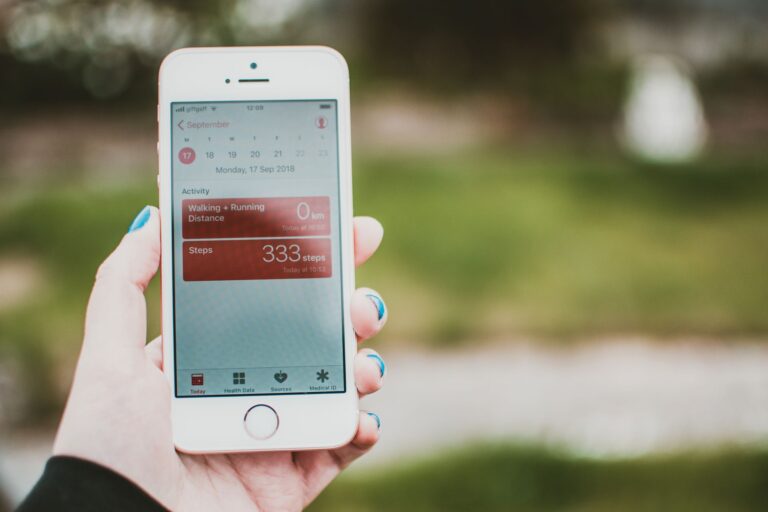
What “Screen Time” Really Means
When you open a screen‑time tracking app on your phone, the first thing you see is often a colorful chart that breaks your day down into “Social,” “Productivity,” and “Entertainment” blocks. Those visualizations are the result of a series of data‑collection steps that happen behind the scenes, and they differ markedly between Android and iOS. Understanding how these apps gather information helps you interpret the numbers they present—and makes you aware of the privacy trade‑offs involved.
Operating‑System APIs: The Official Route
Both Google and Apple provide developers with dedicated APIs that expose usage information. On iOS, the ScreenTime framework (formerly FamilyControls) lets an app request a user’s daily and hourly device activity, broken down by app bundle identifier. The data includes the total foreground time, number of pickups, and even the number of notifications received.
On Android, the UsageStatsManager API serves a similar purpose. When a user grants the “Usage Access” permission, the system returns a list of UsageStats objects that contain the time each app spent in the foreground, the number of launches, and the last time the app was used. Android also offers the AppOpsManager for more granular control over what data an app can read.
Because these APIs are built into the OS, the data they provide is generally reliable: the system logs the exact moment an app gains or loses focus, so the calculated foreground time is accurate to the second.
Accessibility Services and Overlay Techniques
Not all screen‑time tools rely on the official APIs. Some third‑party apps, especially those that aim to work on older OS versions or on devices where the user has not granted usage‑access permission, turn to accessibility services. By enabling an accessibility service, an app can monitor window‑change events, detect which app is currently visible, and even read on‑screen content.
This method is less precise than the OS‑level APIs because it depends on the timing of accessibility callbacks, which can be delayed during heavy multitasking. However, it allows developers to offer basic usage tracking on devices that otherwise block direct access to usage data.
Battery‑Usage Stats as a Proxy
Both iOS and Android maintain detailed logs of how much power each app consumes. Some screen‑time trackers tap into these logs as an indirect measure of usage. While battery consumption doesn’t translate one‑to‑one with time spent on the screen (a video‑streaming app may draw more power per minute than a reading app), the pattern of spikes and sustained usage can be correlated with foreground activity.
On Android, the BatteryStats service can be queried (with appropriate permissions) to retrieve per‑app drain over a given interval. iOS offers a “Battery Usage” report in Settings, but third‑party apps cannot directly access this data; instead, they infer usage by combining foreground‑time APIs with system‑level power‑estimation models.
Event Logging and System Broadcasts
Every time an app is launched, paused, or stopped, the operating system emits a broadcast event. Developers can listen for these events to build a timeline of app switches. On Android, the Intent.ACTION_SCREEN_ON and Intent.ACTION_SCREEN_OFF broadcasts tell a tracker when the display itself is turned on or off, which helps distinguish active usage from background activity.
iOS does not expose such broadcasts to third‑party apps, but the ScreenTime framework provides a “category” field that groups apps into broad categories (social, games, etc.) based on Apple’s own classification. This categorization enables the popular “daily limit” features that many users recognize from the built‑in Settings app.
Privacy Safeguards and Data Storage
Because screen‑time data is deeply personal, both platforms impose strict permissions. On iOS, a user must manually enable “Screen Time” and then explicitly share that data with a third‑party app via the Settings menu. Android requires the “Usage Access” permission, which is presented as a separate system screen that cannot be bypassed by an app’s own UI.
Most reputable apps store the collected metrics locally on the device and sync only anonymized aggregates to their servers, if at all. The GDPR and California Consumer Privacy Act (CCPA) have forced many developers to provide clear opt‑in mechanisms and easy ways to delete all usage history.
When evaluating a screen‑time app, look for the following privacy cues:
- Clear explanation of why each permission is needed.
- On‑device processing of raw usage data.
- Ability to export or delete your entire usage history.
- Transparent privacy policy that references GDPR/CCPA compliance.
Limitations and Edge Cases
Even with official APIs, there are scenarios where screen‑time data can be misleading:
- Split‑Screen and Picture‑in‑Picture: When two apps share the screen, the OS may attribute the entire foreground period to the app that launched first, depending on the platform version.
- Background Audio: Music or podcast apps that play audio while the screen is off still count as “active” in some usage reports, even though the user isn’t looking at the display.
- Multi‑User Devices: On Android tablets with multiple user accounts, usage stats are kept separate per user, but a third‑party app installed only for one user cannot see another user’s data.
- Device‑Specific Optimizations: Manufacturers that add custom power‑saving layers (e.g., Samsung’s “Digital Wellbeing” integration) may feed slightly different usage numbers into the standard APIs.
Understanding these nuances helps you avoid over‑interpreting a single metric and encourages you to look at trends over weeks rather than day‑to‑day spikes.
Future Directions: AI‑Enhanced Insights
As machine learning becomes more embedded in mobile operating systems, we can expect screen‑time apps to move beyond raw minutes and counts. Apple’s “Screen Time” already offers “Downtime” recommendations based on patterns it detects, and Google’s “Digital Wellbeing” suggests app‑specific limits after analyzing weekly trends.
Third‑party developers are beginning to integrate on‑device AI models that can identify “mindless scrolling” versus “purposeful reading” by analyzing interaction speed, scroll depth, and even the type of content displayed (text versus video). Because these models run locally, they preserve privacy while delivering more nuanced feedback—something that simple foreground‑time metrics can’t capture.
In the near future, you may see screen‑time dashboards that combine usage duration with context, such as whether you were on a work‑day, how many notifications you received, and whether the session ended with a “break” (e.g., switching to a meditation app). The underlying measurement methods—OS APIs, accessibility services, event logs—will remain the foundation, but the interpretation layer will become richer and more personalized.
