
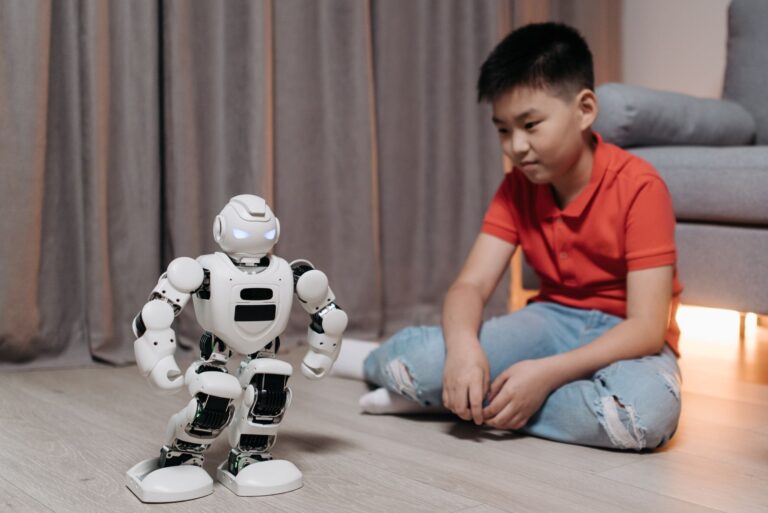
Why AI Is Becoming a Student’s Everyday Companion
College campuses, high‑school classrooms, and even homeschool desks are seeing a quiet revolution. Artificial intelligence tools, once the preserve of data scientists, are now as common as a laptop charger. They help students brainstorm essays, organize research, practice foreign languages, and even debug code. The appeal is simple: AI can reduce repetitive tasks, surface relevant information faster, and provide instant feedback. The result is more time for deep learning and creative thinking.
AI Writing Assistants: From Draft to Polished Paper
Writing remains a core skill across disciplines, and AI writing assistants have matured from novelty chatbots to practical co‑authors. These tools can suggest outlines, improve phrasing, and flag grammatical errors while preserving a student’s voice. Many platforms also integrate citation generators, helping learners meet academic standards without endless manual formatting.
- ChatGPT (OpenAI) – Offers conversational drafting, brainstorming, and revision suggestions. The free tier covers most student needs, while a subscription unlocks higher usage limits.
- Claude (Anthropic) – Known for a more conversational tone, it can help flesh out arguments and suggest counterpoints.
- Grammarly – Focuses on grammar, style, and tone, with a built‑in plagiarism checker that many institutions recommend.
When using these assistants, it’s essential to treat the output as a draft. Students should verify facts, ensure proper citation, and add personal analysis to avoid unintentional plagiarism.
Research and Reference Tools: Finding Credible Sources Faster
Academic research can feel like searching for a needle in a haystack. AI‑enhanced search engines and citation managers now sift through scholarly databases, pre‑print servers, and reputable news outlets to surface the most relevant material.
- Perplexity.ai – Provides concise answers with source links, making it easy to verify information before including it in a paper.
- Khanmigo (Khan Academy) – A tutoring‑style AI that can guide students through complex topics while suggesting relevant videos and practice problems.
- Zotero with AI plugins – Allows users to annotate PDFs, extract key points, and generate summaries, streamlining literature reviews.
These tools excel when paired with traditional library databases. A smart strategy is to use the AI to generate a preliminary bibliography, then confirm each source through the institution’s library portal.
Study Organization and Note‑Taking: Turning Chaos Into Clarity
Effective note‑taking is more than copying lecture slides; it’s about synthesizing information in a way that sticks. AI can automate transcription, highlight key concepts, and even turn notes into study cards.
- Notion AI – Embeds AI directly into a flexible workspace, allowing students to summarize meeting notes, generate to‑do lists, and create flashcards from text blocks.
- Microsoft OneNote with AI integration – Offers handwritten‑note recognition and the ability to ask the AI to expand bullet points into full explanations.
- Otter.ai – Provides real‑time transcription for lectures and group discussions, with the option to highlight and tag important sections.
By converting raw notes into structured outlines, students can more easily review material before exams and identify gaps in their understanding.
Language Learning and Translation: Bridging the Communication Gap
For students studying abroad, taking language courses, or accessing foreign‑language sources, AI translators and conversation partners are invaluable. Modern models handle nuanced idioms and can provide contextual explanations that older dictionary tools miss.
- Duolingo Max – Incorporates a conversational AI that simulates real‑world dialogues, giving learners instant feedback on pronunciation and grammar.
- DeepL Translator – Known for its natural‑sounding translations, it can help students interpret academic articles written in other languages.
- ChatGPT for language practice – By setting the model’s role as a tutor, students can practice writing essays or holding conversations in the target language.
When relying on translation tools, students should double‑check technical terms and cultural references, as AI may occasionally misinterpret specialized vocabulary.
Problem‑Solving and Coding Helpers: Debugging Made Simple
STEM courses often involve complex problem sets and programming assignments. AI can act as a patient tutor, walking students through each step without giving away the final answer.
- GitHub Copilot – Suggests code snippets directly within popular editors, helping learners understand syntax and common patterns.
- Wolfram Alpha – Offers step‑by‑step solutions for mathematics, chemistry, and physics problems, complete with visualizations.
- Replit AI – Provides instant debugging hints and can generate test cases for student code.
The best use case is to ask the AI for hints or alternative approaches, then attempt the solution independently. This reinforces learning while still offering a safety net when students are truly stuck.
Ethical Use and Best Practices: Staying on the Right Side of Academic Integrity
With great power comes great responsibility. Universities are updating honor codes to reflect AI usage, and many instructors explicitly state how these tools should be credited. Here are some practical guidelines students can follow:
- Disclose assistance – If an AI helped shape an outline or provided language edits, note it in a brief acknowledgment.
- Verify every claim – AI can produce confident‑sounding but inaccurate information; always cross‑reference with primary sources.
- Use AI as a supplement, not a substitute – The goal is to enhance learning, not bypass it. Engage with the material first, then turn to AI for clarification.
- Protect personal data – Avoid uploading sensitive assignments to services that do not guarantee privacy.
By treating AI as a collaborative partner rather than a shortcut, students can reap its benefits while maintaining academic integrity.
Putting It All Together: Building a Personal AI Toolkit
Every student’s workflow is unique, but a balanced AI toolkit often includes one tool from each of the categories above. For example, a typical day might look like this:
- Start with Notion AI to outline the day’s tasks and pull lecture notes into an organized page.
- During a study session, use Perplexity.ai to quickly retrieve background information for a research paper.
- Draft the introduction with ChatGPT, then run it through Grammarly for polish.
- When encountering a tricky math problem, ask Wolfram Alpha for a step‑by‑step walkthrough.
- Wrap up by converting key points into flashcards using Notion AI’s built‑in template.
This workflow demonstrates how AI can weave seamlessly into the study rhythm, turning time‑consuming chores into streamlined actions. The key is to stay curious, verify rigorously, and keep the learning objectives front and center.
