
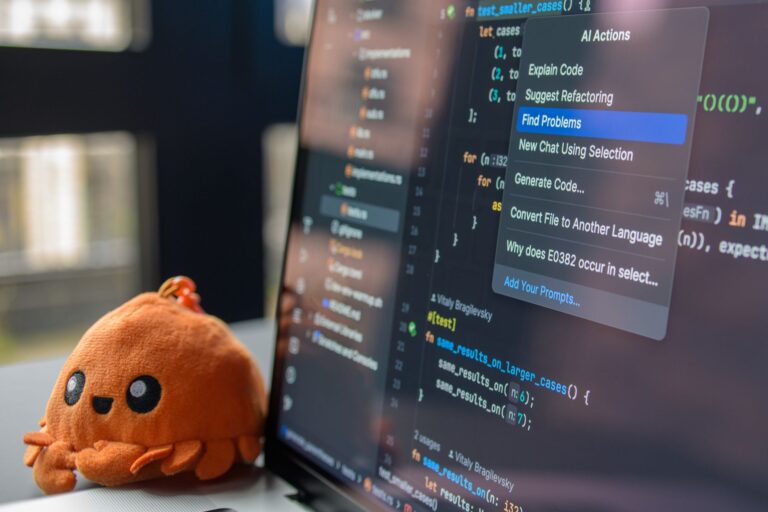
Artificial intelligence has moved from the realm of research labs into the daily toolbox of developers. Whether you’re a seasoned engineer tackling a legacy codebase or a newcomer building a prototype, AI‑driven assistants can cut down repetitive tasks, surface bugs faster, and even spark creative solutions. The ecosystem of AI tools for programmers has grown rapidly, offering options that range from lightweight code completion plugins to full‑stack copilots that understand context across an entire repository. Below, we explore the most practical categories of AI tools, highlight a few standout offerings, and provide guidance on how to pick the right mix for your workflow.
Code Completion and Suggestion Engines
At the core of many developers’ AI experience is real‑time code completion. These tools analyze the code you’re typing, the surrounding context, and often the broader project to suggest whole lines or even multi‑line snippets. The goal is to reduce keystrokes, surface idiomatic patterns, and keep you focused on higher‑level logic.
- GitHub Copilot – Powered by OpenAI’s models, Copilot integrates directly into popular IDEs such as Visual Studio Code, JetBrains, and Neovim. It offers suggestions that span from single‑line completions to entire function bodies, drawing on billions of public code examples.
- Amazon CodeWhisperer – Designed for AWS developers, CodeWhisperer delivers context‑aware suggestions in Java, Python, and JavaScript, with an emphasis on security‑related recommendations that flag potential vulnerabilities.
- Tabnine – A language‑agnostic assistant that runs locally or in the cloud, Tabnine leverages a mixture of open‑source models and proprietary fine‑tuned data to deliver fast completions without sending code to external servers.
- Replit Ghostwriter – Embedded in the Replit online IDE, Ghostwriter focuses on rapid prototyping, offering inline suggestions and the ability to generate entire project skeletons from a brief description.
These assistants differ in how they handle privacy, model updates, and integration depth. If you work primarily within the GitHub ecosystem, Copilot’s tight integration with pull‑request workflows may be a decisive factor. For teams that need on‑premise solutions or strict data residency, Tabnine’s local inference mode offers a compelling alternative.
AI‑Powered Code Review and Quality Assurance
Beyond typing assistance, AI can act as a second set of eyes during code review. Modern tools scan diffs, flag potential bugs, and suggest refactorings based on learned best practices. They help maintain consistency, catch subtle performance issues, and reduce the cognitive load on human reviewers.
- Snyk Code (formerly DeepCode) – Uses machine learning to detect security flaws and code quality problems across multiple languages, integrating with CI pipelines for continuous feedback.
- Sourcegraph AI – Enhances the classic code‑search experience by providing natural‑language queries and contextual explanations for complex code paths.
- GitHub’s Code Scanning (with CodeQL) – While not strictly “AI,” CodeQL’s query language benefits from community‑contributed patterns that can surface sophisticated bugs, and GitHub’s UI now surfaces AI‑enhanced suggestions alongside traditional alerts.
When adopting an AI reviewer, it’s important to treat its output as advisory rather than authoritative. The tools excel at flagging patterns they’ve seen before, but they can miss domain‑specific nuances that only a human familiar with the business logic would catch.
Automated Testing and Debugging Assistants
Testing is often cited as the most time‑consuming part of software development. AI can accelerate both test generation and debugging by interpreting intent from code and comments.
- Microsoft’s IntelliCode Test Generation – An extension for Visual Studio that suggests unit tests based on existing code, using patterns learned from open‑source projects.
- Diffblue Cover – Generates Java unit tests automatically, focusing on achieving high coverage while allowing developers to review and refine the output.
- ChatGPT‑based debugging bots – Some teams integrate OpenAI’s ChatGPT API into their Slack or Teams channels, enabling developers to paste error traces and receive step‑by‑step troubleshooting suggestions.
These solutions are most effective when paired with a solid test strategy. Automated tests can serve as a safety net for AI‑generated code, ensuring that the shortcuts taken by the assistant don’t introduce regressions.
Documentation Generation and Knowledge Retrieval
Maintaining up‑to‑date documentation is a perennial challenge. AI can bridge the gap by turning code comments, function signatures, and even commit messages into readable docs, or by answering natural‑language queries about a codebase.
- GitHub Copilot Chat – Offers a conversational interface where developers can ask, “How does this function work?” and receive a concise explanation derived from the source.
- OpenAI’s GPT‑4 API – Teams often build custom wrappers that feed in code snippets and receive markdown‑formatted documentation, useful for internal wikis.
- DocFX with AI extensions – Generates static documentation sites from code comments, with optional AI post‑processing to improve readability.
While AI‑generated docs can quickly bring new team members up to speed, they should be reviewed for accuracy, especially when dealing with complex business rules that may not be fully captured in the code.
Choosing the Right Tool for Your Workflow
With a growing menu of options, selecting a tool set that aligns with your project’s needs and constraints is crucial. Consider the following factors:
- Language support – Ensure the tool covers the primary languages in your stack. Some assistants specialize in JavaScript/TypeScript, while others excel with Java or Go.
- IDE compatibility – Seamless integration reduces friction. Most major editors (VS Code, IntelliJ, Vim) have plugins for the leading AI assistants.
- Data privacy – If your code is proprietary, prefer solutions that offer local inference or on‑premise deployment.
- Team collaboration features – Tools that embed suggestions directly into pull‑request reviews can streamline shared code ownership.
- Cost model – Many providers offer free tiers for individual developers, with paid plans for organizations. Evaluate the feature set that each tier unlocks.
Start small: trial a single assistant in a sandbox branch, measure its impact on speed and error rates, and iterate. Mixing tools—using one for completions, another for security scanning—often yields the best coverage without overwhelming the developer’s attention.
Looking Ahead: The Future of AI in Development
The rapid evolution of large language models suggests that tomorrow’s assistants will understand higher‑level design intent, not just line‑by‑line syntax. Emerging research points to:
- Context‑wide reasoning – Models that can ingest an entire repository, configuration files, and even runtime logs to propose architectural changes.
- Interactive pair‑programming bots – Conversational agents capable of asking clarifying questions, negotiating API contracts, and iteratively refining code based on feedback.
- Self‑healing codebases – Systems that automatically generate patches for newly discovered bugs and submit them as pull requests, subject to human approval.
These advances will raise new questions around trust, accountability, and the role of the human developer. For now, the most pragmatic approach is to treat AI as an augmentative partner—one that handles repetitive patterns while you retain control over design decisions and critical logic.
In practice, the best AI toolkit is the one that blends smoothly into your daily rhythm, respects the confidentiality of your code, and consistently delivers suggestions that you can trust. By experimenting with the tools highlighted above and keeping an eye on emerging capabilities, programmers can stay ahead of the curve and let AI do the heavy lifting while they focus on building software that truly matters.
