
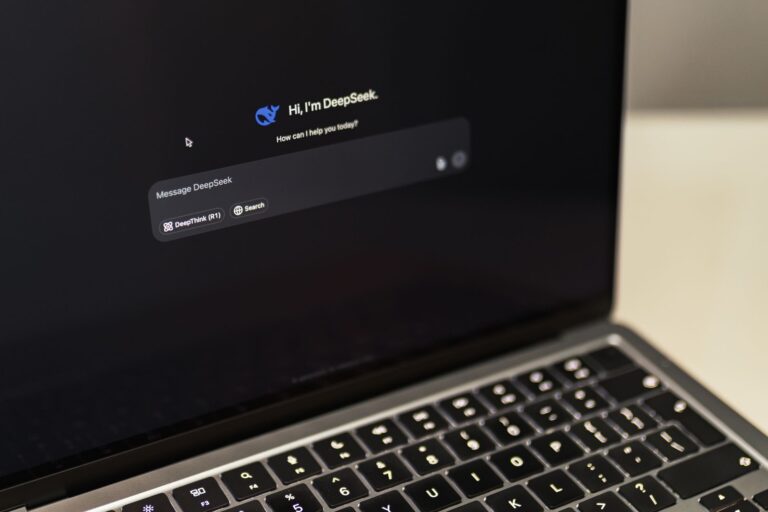
Artificial intelligence is no longer a buzzword confined to data‑center servers; it’s becoming a core capability of the laptops we carry every day. When a notebook is marketed as an “AI PC,” the label is meant to convey more than a high‑end graphics card. It signals a combination of hardware, software, and design choices that let the machine run machine‑learning models locally, respond to user intent in real time, and do so within the power and thermal constraints of a portable device. In this article we break down the ingredients that turn an ordinary laptop into a true AI PC.
Defining the AI PC: Beyond a Faster Processor
An AI PC is a system that can execute inference – the process of applying a trained model to new data – quickly and efficiently without relying on a cloud service for every request. This distinction matters because latency, privacy, and bandwidth become critical in scenarios such as real‑time video translation, on‑device speech recognition, or augmented‑reality overlays. While a fast CPU can handle many tasks, AI workloads are fundamentally different: they involve massive parallel matrix operations that benefit from specialized compute units.
Consequently, an AI‑focused laptop typically includes:
- A dedicated AI accelerator (often called a neural processing unit or NPU) that is optimized for tensor math.
- A modern GPU with hardware‑level support for mixed‑precision inference.
- Software stacks that expose these accelerators through common frameworks such as TensorFlow, PyTorch, or ONNX Runtime.
- Power‑ and thermal‑management schemes designed to keep AI workloads sustainable for extended use.
When these pieces work together, the laptop can deliver AI features that feel native rather than an afterthought.
Dedicated AI Hardware: NPUs and Tensor Cores
Neural processing units are purpose‑built silicon blocks that excel at the linear algebra at the heart of deep learning. Unlike a CPU, which must juggle a wide variety of instruction types, an NPU contains an array of matrix multiply‑accumulate (MMA) engines that can execute thousands of operations per clock cycle. In recent laptop generations, major silicon vendors have begun integrating NPUs directly onto the main processor die or as a separate chip on the motherboard.
These accelerators typically support mixed‑precision formats such as 16‑bit floating point (FP16) or integer‑8 (INT8), which dramatically reduce memory bandwidth while preserving model accuracy for many tasks. By offloading inference to the NPU, the system can keep the CPU free for general‑purpose tasks and, importantly, keep power draw low enough for a laptop battery.
Some implementations also include a small amount of on‑chip SRAM dedicated to storing model parameters, which cuts latency further. The result is a device that can, for example, transcribe speech or apply object detection on a webcam feed in under 50 ms while drawing only a few watts.
GPU Evolution: From Gaming to AI
Graphics processing units have long been the workhorse for AI training in desktops and servers, and that pedigree carries over to laptops. Modern mobile GPUs now expose tensor cores—hardware units specifically designed for the same MMA operations used by NPUs—but with a broader instruction set that can also handle graphics rendering. This dual capability means a laptop can switch seamlessly between a game, a video editor, and an AI‑enhanced application without swapping hardware.
Key GPU features that matter for AI inference include:
- Support for mixed‑precision compute (FP16, BF16, INT8).
- Hardware‑accelerated ray‑tracing cores that can be repurposed for certain AI workloads.
- Unified memory architectures that allow the GPU and CPU to share data without costly copies.
When a laptop’s GPU can allocate a portion of its cores to AI kernels while the rest continue driving the display, developers gain a flexible platform that scales with the complexity of the model they wish to run.
Software Ecosystem: Making the Hardware Accessible
Hardware alone does not make a laptop AI‑ready; developers need tools that abstract the underlying accelerators. Today’s AI PCs benefit from a maturing software ecosystem that includes:
- Framework extensions (e.g., TensorFlow Lite, PyTorch Mobile) that compile models to run on NPUs or GPU tensor cores.
- Standardized runtime interfaces such as the Open Neural Network Exchange (ONNX) that let a model trained in one environment be executed on another.
- Operating‑system level APIs that expose hardware capabilities without requiring deep driver knowledge.
These layers ensure that a developer can target “AI PC” as a platform category rather than a specific vendor’s chip. For end users, the payoff is visible in applications that automatically enable on‑device features—like background blur in video calls or real‑time language translation—without an extra download or cloud subscription.
Power and Thermal Design: Keeping AI Sustainable
Running AI inference is computationally intensive, but a laptop cannot afford the power budget of a server. Effective AI PCs therefore employ several strategies to balance performance with battery life:
- Dynamic frequency scaling for NPUs and GPUs, which raises clock speeds only when the workload demands it.
- Fine‑grained power gating that shuts down idle accelerator blocks.
- Advanced cooling solutions such as vapor‑chamber heat spreaders that dissipate the concentrated heat from AI cores.
When these mechanisms work together, a laptop can sustain AI workloads for minutes to hours on a single charge, depending on the task. Users may notice that a model running inference on the NPU consumes far less power than the same model executed on the CPU, an advantage that becomes evident during long video‑editing sessions or continuous speech‑to‑text transcription.
AI‑Enhanced User Experiences: From Camera to Keyboard
The most tangible sign that a laptop is an AI PC is how the device adapts to its user. Several everyday features now rely on on‑device AI:
- Intelligent video conferencing: real‑time background replacement, automatic framing, and noise suppression that work without sending data to the cloud.
- Voice assistants: wake‑word detection and natural‑language understanding that run locally, preserving privacy.
- Adaptive keyboards: predictive text and gesture recognition that learn a user’s typing habits.
- Content creation tools: AI‑driven upscaling of images, auto‑tagging of photos, and generative text suggestions.
Because the inference happens on the laptop’s own accelerators, these features respond instantly and remain functional even when the internet connection is spotty. This on‑device capability is increasingly becoming a selling point for professionals who need reliability in the field.
Future Directions: What to Look for in the Next AI PC
As AI continues to infiltrate software ecosystems, the definition of an AI PC will evolve. Anticipated trends include:
- Unified AI pipelines that combine the NPU, GPU, and CPU under a single scheduling layer, allowing workloads to migrate dynamically for optimal efficiency.
- Edge‑focused security where AI accelerators enforce encrypted model execution, ensuring that proprietary intellectual property cannot be extracted.
- Modular AI upgrades—similar to how some laptops now offer swappable storage, future designs may allow users to upgrade the AI accelerator independently.
When shopping for a laptop that promises AI capabilities, consider the balance of hardware and software. A strong AI PC will advertise the presence of an accelerator, but it will also highlight support for open frameworks, robust driver updates, and demonstrable on‑device features that you can test before buying.
In short, a laptop earns the “AI PC” badge when it integrates dedicated AI silicon, leverages a capable GPU, provides a developer‑friendly software stack, and manages power and heat well enough to keep those capabilities usable on the go. As the line between cloud and edge continues to blur, the laptops that can run intelligent workloads locally will become the default workstations for creators, analysts, and anyone who expects their device to think as quickly as they type.
