
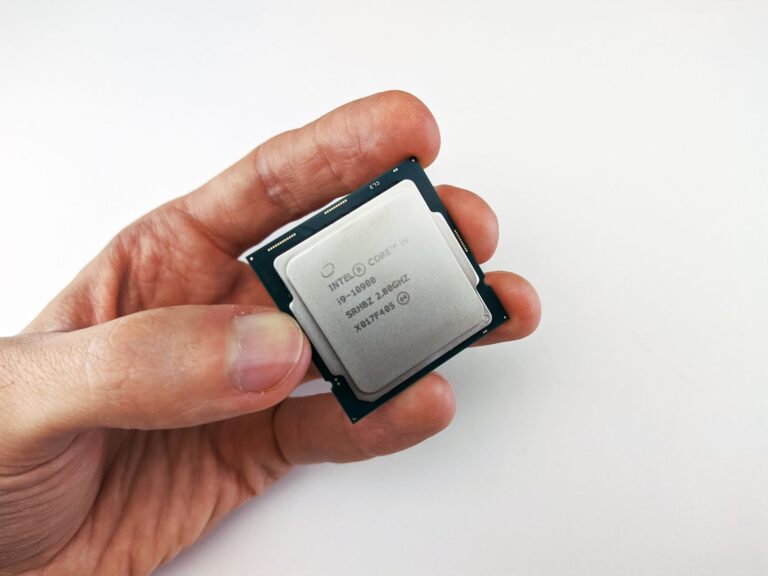
What is the Intel Core Ultra NPU?
Intel’s latest “Core Ultra” branding represents a new generation of consumer processors that blend traditional CPU cores with a purpose‑built neural processing unit (NPU). The NPU is a dedicated hardware block designed to accelerate artificial‑intelligence inference tasks—anything from image enhancement to real‑time speech translation—while consuming far less power than a general‑purpose GPU would.
Unlike the older “Gaussian Neural Accelerator” (GNA) that focused on low‑power audio workloads, the Core Ultra NPU targets a broader set of AI models. It is positioned as a middle ground between the CPU (great at sequential logic) and the integrated graphics engine (excellent for rasterization and parallel compute), providing a specialized path for matrix‑multiply‑accumulate operations that dominate modern deep‑learning inference.
How the NPU Fits Into the Core Ultra Architecture
The Core Ultra processor is built on Intel’s “tile” architecture, where different functional blocks—CPU cores, GPU tiles, cache, and the NPU—are assembled as separate silicon dies on a shared interposer. This modular approach lets Intel scale each component independently and route data between them with high bandwidth and low latency.
Within this layout, the NPU sits alongside the graphics tile and shares the same memory subsystem (LPDDR5 or DDR5). Because it has direct access to the system’s main memory, the NPU can fetch model weights and input tensors without the overhead of copying data through the CPU cache hierarchy. The inter‑tile fabric, based on Intel’s “Foveros” 3‑D stacking technology, ensures that a single inference request can travel from the CPU, through the NPU, and back to the GPU for display in under a few microseconds.
Real‑World Use Cases for the On‑Chip NPU
Having a hardware‑accelerated AI engine on a laptop or desktop opens up several practical scenarios that previously required cloud processing or a discrete GPU. Some examples that developers are already exploring include:
- Live video upscaling. AI‑driven super‑resolution can double the perceived resolution of a webcam feed in real time, improving video‑conference quality without taxing the CPU.
- Intelligent photo editing. Features like background removal, object‑aware scaling, and noise reduction become instantaneous when the NPU handles the convolutional layers.
- Speech‑to‑text and translation. On‑device models can transcribe spoken words or translate them into another language without sending audio to the cloud, preserving privacy.
- Gaming assistance. Real‑time ray‑traced denoising and AI‑enhanced frame interpolation can run on the NPU, freeing GPU cycles for higher frame rates.
- Security and personalization. Continuous face‑recognition or keystroke‑behavior analysis can operate locally, offering a smoother login experience.
Programming the NPU: Tools and Ecosystem
Intel has deliberately aligned the NPU with its existing software stack to make adoption painless for developers. The primary entry points are:
- oneAPI Base Toolkit. Provides a unified programming model that abstracts the underlying hardware, allowing code written for CPUs, GPUs, or NPUs to share a common API.
- OpenVINO™ Toolkit. Optimizes pre‑trained models (TensorFlow, PyTorch, ONNX) for Intel hardware, including automatic conversion of supported layers to NPU‑friendly instructions.
- Intel® Neural Compressor. Helps shrink model size while preserving accuracy, which is crucial for fitting within the NPU’s on‑chip memory limits.
Developers typically start by converting a model with OpenVINO, then let the runtime decide at execution time whether the NPU, GPU, or CPU offers the best performance‑per‑watt for a given workload. The runtime also handles fallback paths, ensuring that an application continues to run even on hardware that lacks an NPU.
Performance and Power Efficiency Compared to CPU/GPU
Benchmarks released by Intel and independent reviewers show that the Core Ultra NPU can deliver inference latency that is an order of magnitude lower than running the same model on the CPU, while drawing roughly half the power of an integrated GPU performing the same task. This efficiency stems from three design choices:
- Specialized compute units. The NPU contains matrix‑multiply engines tuned for INT8 and BF16 data formats, which are common in inference‑optimized models.
- On‑chip memory. A small but fast SRAM buffer stores activations and weights, reducing the need for costly DRAM accesses.
- Zero‑copy data paths. Direct inter‑tile links eliminate the extra copy steps that a CPU would need to move data into a GPU’s memory.
In practical terms, a photo‑enhancement app that took several seconds on a previous‑generation laptop now completes the same operation in under 100 ms on a Core Ultra system, all while keeping the device’s battery life comparable to non‑AI workloads.
Looking Ahead: The Future of AI on Consumer PCs
The integration of an NPU into mainstream consumer silicon signals a shift in how personal computers will handle AI. As model architectures become more efficient and frameworks standardize on INT8/BF16 quantization, we can expect a growing catalog of “AI‑first” applications that run entirely offline. This not only improves responsiveness but also addresses privacy concerns associated with sending personal data to the cloud.
From a hardware perspective, Intel’s tile strategy makes it feasible to expand the NPU’s capacity in future generations—adding more compute tiles or larger on‑chip buffers without redesigning the entire processor. Combined with the industry’s move toward unified software stacks like oneAPI, the barrier for developers to ship AI‑enhanced experiences will continue to fall.
In the meantime, early adopters of Core Ultra devices can experiment with the existing toolchain, try out OpenVINO‑converted models, and see firsthand how a modest on‑chip NPU can turn everyday tasks into smooth, AI‑augmented experiences. As the ecosystem matures, the line between “CPU‑only” and “GPU‑accelerated” workloads will blur, and the NPU will become the default path for any inference that demands speed, efficiency, and privacy.
