
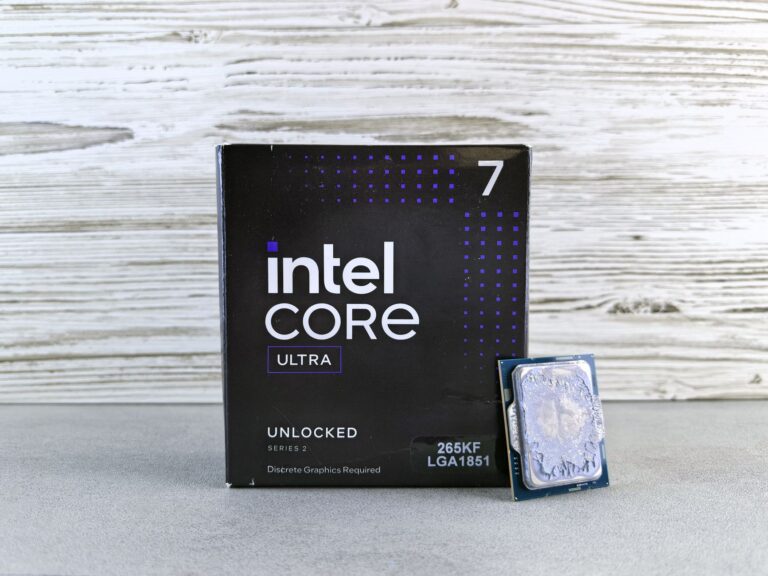
What Is Intel Core Ultra?
Intel Core Ultra is the latest branding for the company’s high‑end mobile and thin‑and‑light processors, launched as part of the 13th‑generation “Raptor Lake‑Refresh” family. The name signals a shift from the traditional “Core i‑” hierarchy toward a more differentiated lineup that emphasizes a blend of CPU performance, integrated graphics, and power‑efficiency technologies. In practice, a Core Ultra chip combines Intel’s newest performance cores (P‑cores), efficiency cores (E‑cores), and the Iris Xe graphics architecture into a single package that targets creators, gamers, and power users who need desktop‑class capability in a portable form factor.
The Architecture Behind Core Ultra
At the heart of every Core Ultra processor are three key architectural pillars:
- Hybrid CPU design: Intel continues to use a heterogeneous mix of P‑cores, built on a higher‑frequency, larger‑cache micro‑architecture, and E‑cores, which are smaller, lower‑power units optimized for multithreaded background tasks. This approach lets the chip allocate work to the most suitable core type, delivering strong single‑thread performance while keeping overall power draw low.
- Intel Foveros 3D stacking: Many Core Ultra models employ a chip‑on‑chip (CoC) design where the CPU die and the graphics die are stacked vertically. This reduces latency between the two components and frees up board space for slimmer laptops.
- Iris Xe graphics: The integrated GPU is based on the Xe‑LP (low‑power) architecture, offering more execution units and higher clock speeds than previous Intel UHD graphics. While it still sits behind a discrete GPU for most high‑end gaming rigs, Iris Xe can comfortably handle 1080p gaming, video editing, and AI‑accelerated workloads without an add‑on card.
These technologies are tied together by Intel’s Thread Director scheduler, which runs in hardware and steers workloads in real time, ensuring the right core handles the right job. The result is a laptop that feels responsive whether you’re launching a web browser, rendering 4K video, or running a machine‑learning inference.
Performance in Real‑World Use Cases
Core Ultra chips are positioned between the mainstream Core i5/i7 “U” and “H” series and the premium “Extreme” desktop CPUs. In practice, that means they deliver:
- Strong single‑core performance: The P‑cores reach clock speeds above 5 GHz on turbo, which benefits tasks such as gaming, CAD, and code compilation that rely heavily on a single thread.
- Robust multithreaded capability: With up to 8 performance cores and 8 efficiency cores (in the highest‑end SKU), the processor can handle 24‑plus threads, making it suitable for video encoding, 3D rendering, and multitasking with dozens of applications open.
- Improved graphics without a discrete GPU: The Iris Xe graphics in Core Ultra can sustain 60 fps in many modern titles at 1080p with medium settings, and it supports hardware‑accelerated video encode/decode for HDR content.
Real‑world benchmarks from reputable tech sites consistently show Core Ultra models closing the gap with desktop “i9” CPUs in tasks that are not memory‑bound, while still maintaining the thin‑and‑light form factor expected of ultrabooks.
How Core Ultra Differs From the Rest of Intel’s Lineup
Understanding where Core Ultra fits requires a quick look at Intel’s broader branding:
- Core i3/i5/i7/i9 “U” series: Targeted at ultraportable laptops with a focus on battery life. They typically feature fewer cores and lower power envelopes (15 W or less).
- Core i5/i7/i9 “H” series: Geared toward performance‑oriented laptops, often paired with a discrete GPU. Power limits range from 35 W to 45 W, and they usually lack the stacked graphics architecture.
- Core Ultra: Sits at the high‑end of the mobile spectrum, using a 28 W (or higher) base power envelope but with advanced power‑management that can scale down for long battery life. The stacked design also frees up PCB real estate, allowing manufacturers to create slimmer chassis without sacrificing performance.
In short, Core Ultra is Intel’s answer to the growing demand for “laptop‑desktop hybrid” machines—devices that can run demanding workloads while still fitting into a 13‑inch or 14‑inch chassis.
Key Features That Matter to Users
Beyond raw performance, Core Ultra brings a suite of features that improve daily productivity and future‑proofing:
- Intel Thread Director: Dynamically routes threads to the optimal core, reducing latency and improving power efficiency.
- Thunderbolt 4 and PCIe 5.0 support: Enables fast external storage, high‑resolution displays, and next‑generation external GPUs.
- AI acceleration: The integrated AI engine can speed up tasks like image upscaling, voice recognition, and real‑time translation.
- Hardware‑based security: Features such as Intel Platform Protection Technology (PPT) and a built‑in Trusted Execution Environment help safeguard data on the go.
- Battery‑friendly operation: The efficiency cores handle background processes, allowing the laptop to stay in idle or low‑power states for extended periods.
Choosing a Core Ultra Laptop: What to Look For
When shopping for a device powered by an Intel Core Ultra processor, consider the following criteria to ensure the machine aligns with your needs:
- Thermal design power (TDP) and cooling solution: A well‑engineered cooling system will allow the processor to sustain its boost clocks during prolonged workloads.
- Memory configuration: Look for laptops with DDR5 RAM (preferably 5600 MT/s or higher) to complement the CPU’s bandwidth.
- Display quality: Since Core Ultra devices often target creators, a high‑resolution (at least 2.5K) panel with accurate color coverage will make the most of the integrated graphics.
- Battery capacity: A 70 Wh or larger battery helps offset the higher performance envelope, especially when you plan to work unplugged for a full day.
- Upgradeability: Some models still allow storage or memory upgrades, which can extend the device’s lifespan.
Brands such as Dell, HP, and Lenovo have already released flagship ultrabooks featuring Core Ultra, each with its own take on the balance between performance, portability, and price. Reading detailed reviews that test sustained CPU load, thermals, and real‑world battery life will give you a clearer picture of which implementation best matches your workflow.
What the Future Holds for the Core Ultra Brand
Intel has indicated that Core Ultra will evolve alongside its upcoming “Meteor Lake” and “Arrow Lake” silicon generations. Those future architectures are expected to bring:
- Enhanced AI acceleration with dedicated matrix engines.
- Even tighter integration of the graphics and compute dies using next‑gen Foveros technology.
- Support for higher‑speed DDR5‑5600 and LPDDR5X memory, improving bandwidth for data‑intensive tasks.
- Broader adoption of PCIe 5.0 for external storage and networking.
For consumers, this means the Core Ultra label will likely continue to denote the sweet spot of mobile performance, but with each new silicon refresh the performance gap between laptops and desktop PCs will shrink further. As software increasingly leverages AI and mixed‑precision workloads, the combination of hybrid cores and integrated graphics in Core Ultra devices positions them as versatile tools for both creative professionals and everyday users.
Bottom Line: Is Core Ultra Worth the Premium?
Intel Core Ultra represents a clear step forward in the company’s mobile strategy. By marrying high‑clocked performance cores, power‑efficient E‑cores, and a stacked Iris Xe graphics solution, the platform delivers desktop‑class capability in a portable chassis without sacrificing battery life.
If you regularly run demanding applications—such as video editing software, 3D modeling tools, or compile large codebases—while still needing the flexibility of a thin laptop, a Core Ultra machine is a compelling option. For casual users whose workloads are limited to web browsing, office suites, and light media consumption, the benefits may not justify the higher price point compared to a standard “U” or “H” series laptop.
Ultimately, the decision comes down to your performance requirements and how much you value the combination of powerful integrated graphics, AI acceleration, and the latest connectivity standards. As the ecosystem around Core Ultra matures, we can expect more manufacturers to fine‑tune their designs, delivering better thermals, longer battery life, and refined user experiences. For now, the platform stands as Intel’s most ambitious attempt to blur the line between laptop and desktop, and it does so with a compelling blend of technology that’s worth a close look.
