
What Is an “AI PC” and How Does It Differ From a Traditional Desktop?
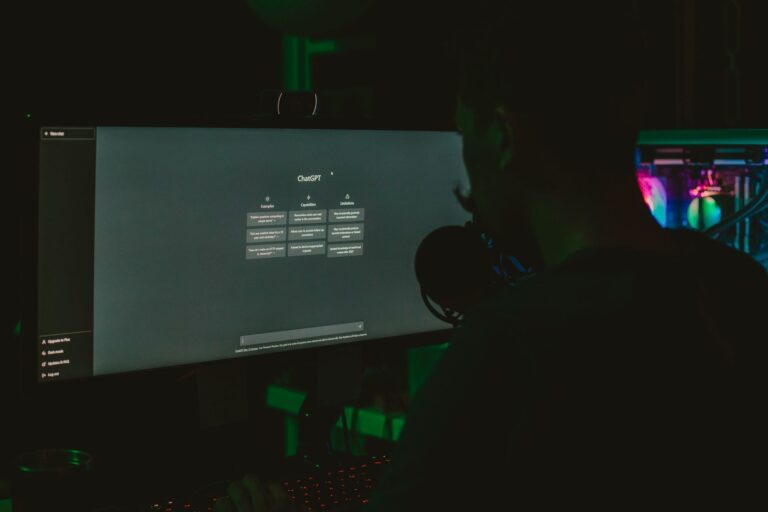
In the past year, the phrase “AI PC” has started to appear in product announcements, tech reviews, and even consumer advertising. At its core, an AI PC is a conventional personal computer that incorporates dedicated artificial‑intelligence acceleration hardware—usually a specialized GPU, a neural‑processing unit (NPU) or a combination of both. The goal is to handle AI‑related workloads—such as real‑time image enhancement, voice assistants, and generative content creation—more efficiently than a standard CPU‑centric system.
Traditional PCs, meanwhile, rely on a CPU for most processing tasks and may include a discrete graphics card primarily intended for gaming or professional rendering. While modern CPUs and GPUs can execute AI models, they typically do so less efficiently than hardware explicitly built for matrix‑math operations that underpin deep‑learning inference.
Core Hardware Differences
The most visible distinction is the presence of AI‑focused silicon. Below are the common components you’ll see on an AI‑oriented machine:
- Dedicated AI accelerator: This can be a separate NPU, a Tensor Core‑enabled GPU, or a proprietary chip like Intel’s Gaudi or Apple’s Neural Engine.
- High‑bandwidth memory: Systems designed for AI often pair the accelerator with fast GDDR6 or LPDDR5 memory to keep data moving quickly.
- Optimized storage: NVMe SSDs with larger cache sizes help feed large model files without bottlenecks.
Traditional desktops may still include a GPU, but unless it’s a recent model with AI‑centric cores (e.g., NVIDIA’s RTX series), the hardware is not explicitly optimized for AI inference. In many cases, an AI PC will also feature a CPU from the latest generation, ensuring that the “general‑purpose” side of the system can keep pace with the accelerator.
Performance in Everyday Tasks
For most users, the day‑to‑day experience of an AI PC feels similar to a high‑end traditional system—fast web browsing, smooth video playback, and responsive multitasking. Where the difference becomes noticeable is in AI‑heavy applications:
- Photo and video editing: Tools that employ AI for upscaling, denoising, or background removal can run in real time or with dramatically reduced rendering times.
- Voice assistants and transcription: On‑device speech recognition becomes more accurate and quicker, reducing reliance on cloud services.
- Creative generation: Applications that generate images, music, or code using generative AI models can produce results instantly, whereas a traditional PC might require minutes of processing.
It’s worth noting that many AI features are optional and can be toggled off, preserving battery life on laptops and power consumption on desktops. Users who rarely engage with AI‑centric software may see little practical benefit from the extra hardware.
Software Ecosystem and Integrated AI Features
Hardware alone does not make a PC “AI‑ready.” The software stack is equally important. Leading operating systems now ship with frameworks that abstract the underlying accelerators:
- Windows: Microsoft’s DirectML and the Windows AI platform expose hardware acceleration to a growing library of apps.
- macOS: Apple’s Core ML automatically routes supported models to the Neural Engine, making AI integration seamless for developers.
- Linux: Open‑source projects such as TensorRT, ONNX Runtime, and the OpenVINO toolkit provide flexible pathways to leverage GPUs and NPUs.
Manufacturers are also bundling proprietary AI assistants, camera enhancement suites, and productivity tools that tap into the accelerator. However, the ecosystem is still maturing; not every popular app has been optimized for these chips, and developers often need to re‑compile or fine‑tune models to achieve the best performance.
Security, Privacy, and On‑Device Processing
One compelling argument for AI PCs is the ability to keep data local. When speech‑to‑text, facial recognition, or image analysis run on the device, the raw data never leaves the machine, reducing exposure to network‑based threats and privacy concerns. This on‑device processing aligns with regulatory trends that favor data minimization.
That said, the inclusion of powerful AI hardware introduces new attack surfaces. Vulnerabilities in firmware or driver stacks could potentially be exploited to gain low‑level access. Vendors are responding with signed firmware updates and secure boot mechanisms, but the risk profile differs from that of a standard PC and requires users to stay diligent with updates.
Cost and Value Considerations
AI‑capable PCs typically command a price premium over comparable traditional builds. The added expense comes from the specialized accelerator, higher‑speed memory, and often a more recent CPU. For professionals whose workflows rely heavily on AI—such as video editors, data scientists, or designers—the productivity gains can justify the higher upfront cost.
Conversely, casual users who mainly browse the web, stream media, and handle office documents may find the price differential hard to rationalize. In those cases, a well‑balanced traditional PC with a modern GPU can still handle most AI tasks adequately, albeit with longer processing times.
Future Outlook: Convergence or Divergence?
The line between AI PCs and traditional machines is likely to blur. As AI workloads become a standard part of everyday software, even mainstream CPUs are gaining dedicated inference engines (e.g., Intel’s Adaptive Boost Technology). Likewise, GPU manufacturers are integrating more Tensor‑core‑style functionality into consumer‑grade cards.
From a consumer perspective, the most important factor will be software availability. If major applications continue to adopt AI features and provide clear performance benefits, the market will naturally shift toward hardware that can deliver them efficiently. Until then, buyers should evaluate their own usage patterns: ask whether they regularly employ AI‑driven tools, whether on‑device privacy is a priority, and how much they value speed versus cost.
In short, an AI PC is not a categorical replacement for a traditional desktop; it is a specialized tool that can dramatically improve certain workflows while adding cost and complexity. By understanding the hardware distinctions, software ecosystem, and real‑world performance implications, consumers can make an informed decision that aligns with their personal or professional needs.
