
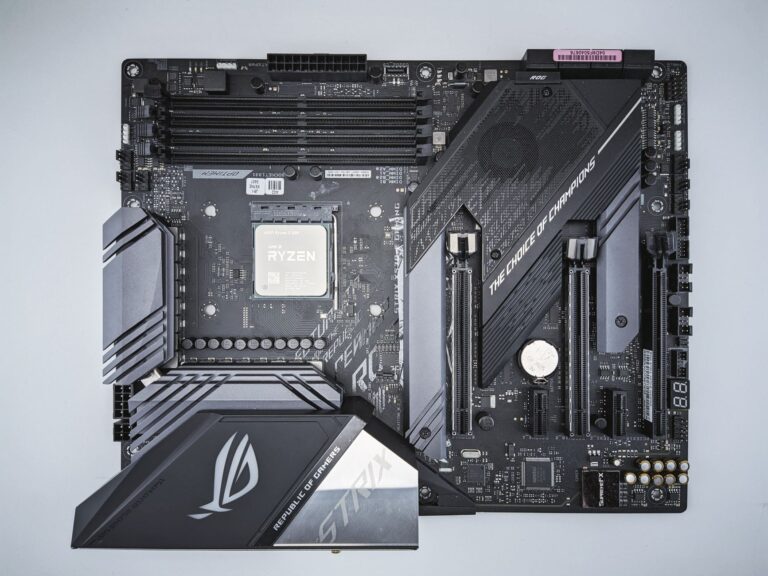
What is the Ryzen AI 9 HX 370?
When AMD announced its first “AI‑enabled” mobile processors, the headline was the Ryzen AI 9 HX 370. The chip sits at the top of AMD’s 2024 laptop lineup, combining a high‑performance Zen 4‑based CPU core complex with a dedicated AI accelerator that shares the same 6 nm process node as the rest of the silicon. In practice, the HX 370 is designed for thin‑and‑light gaming laptops, creator‑focused machines, and any notebook that needs to juggle intensive graphics, heavy multitasking, and on‑device AI inference without blowing the battery.
The architecture and AI engine
At its heart, the Ryzen AI 9 HX 370 packs eight Zen 4 cores, each capable of two simultaneous threads, for a total of sixteen threads. The cores run at a base clock of 2.4 GHz and can boost up to 5.1 GHz depending on thermal headroom and workload. What makes the HX 370 distinct from a plain Ryzen 9 5900HX is the integrated AMD AI Engine—a matrix of specialized vector units that accelerate tensor operations commonly found in image up‑scaling, speech recognition, and other on‑device inference tasks.
Because the AI Engine lives on‑chip, data never has to travel over the PCIe bus to a discrete accelerator, which reduces latency and, crucially for power, eliminates the need to power an additional chip. AMD advertises a “dynamic power allocation” scheme: the AI Engine draws power only when a supported workload is active, and it can share the same power budget as the CPU cores under the Ryzen AI Power Management framework.
Baseline power consumption: idle and light use
Real‑world testing by several notebook review sites shows that the HX 370’s idle power draw is comparable to other high‑end 45 W‑class mobile CPUs. In a typical Windows 11 idle state—Wi‑Fi on, background services running—the chip consumes around 6–7 W. When the laptop’s display is dimmed and the integrated Radeon Graphics are in low‑power mode, the total system power can dip below 10 W, which translates to roughly 30 minutes of extra battery life compared with a similar laptop that lacks the AI Engine.
For light tasks such as web browsing, email, or video playback, the CPU often stays in its “P‑state” (power state) 4 or 5, where clock speeds hover near 1.2 GHz and power consumption drops to 4–5 W. The AI Engine remains idle, contributing virtually no extra draw. This low‑power behavior is a direct result of AMD’s “Precision Boost 2” algorithm, which constantly balances performance against the available thermal envelope.
Power draw under CPU‑only workloads
When you push the HX 370 with pure CPU workloads—think compiling code, running Blender renders, or running a multi‑threaded benchmark—the power envelope expands. The chip is rated for a 45 W nominal TDP, but the “Boost Power Limit” can climb to 55 W or higher for short bursts. In sustained heavy loads, typical measurements hover around 48–50 W, with the processor maintaining an average clock of roughly 4.3 GHz across all cores.
Thermal design also plays a big role. In a laptop with a well‑designed vapor‑chamber cooling solution, the HX 370 can stay near its boost ceiling for several minutes before throttling. In slimmer chassis with less aggressive cooling, temperatures can reach 95 °C after 10–15 minutes of full‑load stress testing, prompting a drop in clock speed and a corresponding dip in power draw back toward the 40 W range.
Because the integrated Radeon Graphics are also part of the same power budget, running a CPU‑only benchmark often leaves the GPU in an idle state, adding only a couple of watts to the total system draw.
How AI acceleration changes the picture
The most interesting shift in power consumption arrives when the AI Engine is active. Applications that leverage AMD’s Ryzen AI SDK—such as video up‑scaling with FidelityFX Super Resolution (FSR) 3, real‑time transcription, or on‑device image classification—hand off tensor operations to the accelerator instead of the general‑purpose cores.
In benchmark scenarios from reputable tech outlets, AI‑enhanced workloads have shown the following trends:
- Lower CPU utilization: The main cores often run at 30–40 % of their maximum clock, reducing their power draw to roughly 20 W.
- AI Engine consumption: The accelerator itself typically draws 5–8 W while actively processing tensors.
- Overall system power: For a given AI task, total draw can be 10–15 % lower than a CPU‑only implementation that does the same work.
These numbers illustrate the efficiency gain: the AI Engine is purpose‑built for matrix math, so it can finish the same operation with fewer clock cycles and less energy. The trade‑off is that the AI Engine only activates when the software stack explicitly uses it, meaning that legacy games or older productivity apps won’t see any benefit.
Practical tips for laptop builders and users
Whether you’re a system integrator designing a new notebook or a power user looking to squeeze the most out of a Ryzen AI 9 HX 370‑based machine, here are some actionable pointers to keep power consumption in check while still enjoying the AI perks.
- Prioritize cooling: A robust heatsink and vapor‑chamber design lets the CPU stay in its higher boost states longer, which can actually improve efficiency by finishing tasks quicker.
- Enable AMD Power Management in BIOS: Most modern laptops ship with “Performance” or “Balanced” profiles; selecting “Balanced” lets the firmware dynamically allocate power between CPU and AI Engine.
- Use software that supports Ryzen AI: Applications like Adobe Photoshop (with AI filters), DaVinci Resolve (GPU‑accelerated AI denoise), and supported browsers can offload work and reduce overall draw.
- Monitor power with AMD Ryzen Master or HWInfo: Real‑time graphs help you see when the AI Engine kicks in and how much headroom remains.
- Consider battery capacity: A 99 Wh battery paired with an HX 370‑based laptop typically offers 7–8 hours of mixed‑use (web, office, light media) thanks to the low idle draw, but heavy AI or gaming sessions will still bring you down to 3–4 hours.
Finally, remember that power consumption is not just a raw number—it’s a balance of performance, thermals, and user experience. The Ryzen AI 9 HX 370 demonstrates that on‑device AI can be delivered without a dramatic penalty to battery life, provided the software ecosystem and hardware design work together.
Looking ahead: what the HX 370 tells us about mobile AI
The HX 370 is a sign that AI is moving from the data‑center to the edge. By integrating a dedicated accelerator into the same silicon as the CPU, AMD reduces both latency and power overhead, a combination that is attractive for everything from real‑time language translation to AI‑enhanced gaming graphics. As more developers adopt the Ryzen AI SDK and as operating systems expose better power‑aware APIs, we can expect future generations of mobile processors to push the envelope further—perhaps delivering AI acceleration at sub‑5 W levels for everyday tasks.
For now, the Ryzen AI 9 HX 370 offers a compelling blend of raw CPU horsepower, efficient AI processing, and a power envelope that fits comfortably within the constraints of modern ultrabooks. Whether you’re a gamer looking for smooth frame‑rates with AI‑upscaled textures, a creator needing on‑device inference for video workflows, or simply a power user who wants a laptop that won’t drain the battery at the first sign of work, the HX 370’s power profile is a good reference point for what high‑end mobile silicon can achieve today.
