
What Exactly Is Integrated Graphics?
Integrated graphics (often called an iGPU) are built directly into the processor or the motherboard chipset. In Intel’s terminology this is the “Intel HD/UHD/Iris” line, while AMD calls its solutions “Radeon Graphics” as part of Ryzen APU packages. Because the GPU lives on the same silicon die as the CPU, it shares the system’s main memory (RAM) rather than having its own dedicated video memory. This design keeps the overall component count low, reduces power draw, and simplifies cooling—all of which translate into cheaper laptops, ultrabooks, and small‑form‑factor desktops.
Dedicated GPUs: The Stand‑Alone Powerhouse
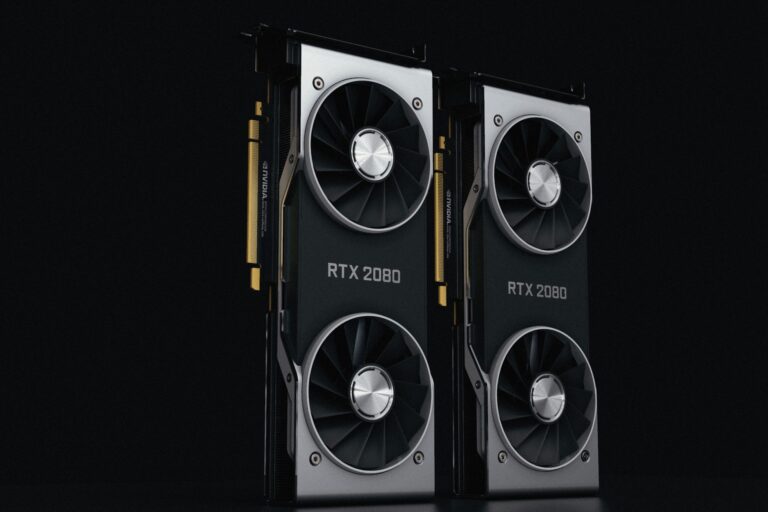
A dedicated graphics processing unit (GPU) is a separate card that plugs into a PCI‑Express slot (or, in some compact systems, an M.2 slot with an external enclosure). It carries its own video memory (VRAM) and its own cooling solution. The isolation from the CPU and system RAM allows the GPU to run at higher clock speeds, manage larger data sets, and sustain heavier workloads without throttling. Major players such as NVIDIA and AMD produce a broad range of models, from entry‑level “budget” cards to enthusiast‑grade solutions that drive 4K gaming, professional rendering, and AI inference.
Performance: When One Beats the Other
In raw rasterization performance, dedicated GPUs dominate. Even a modest modern card can outpace an iGPU by a factor of two to three in most gaming benchmarks. The advantage becomes even more pronounced with features that demand heavy parallel processing, such as ray tracing, DLSS‑style upscaling, or compute‑intensive workloads like video encoding.
However, integrated graphics have narrowed the gap dramatically over the past few years. Intel’s Iris Xe and AMD’s Vega‑based iGPUs can comfortably run many popular games at 720p or 1080p with medium settings. For everyday tasks—web browsing, office productivity, media playback—an iGPU offers more than enough horsepower.
When measuring tasks that rely heavily on memory bandwidth, the dedicated VRAM becomes a decisive factor. A GPU with 8 GB of GDDR6 memory can hold larger textures and models without resorting to slower system RAM, which reduces stutter in demanding games and speeds up rendering in applications like Blender or Adobe Premiere.
Power Consumption and Heat: The Quiet Advantage
Because they share system memory and operate at lower clock rates, integrated graphics consume far less power. A typical laptop with an iGPU can stay under 30 W total CPU‑GPU draw under load, which translates into longer battery life and less aggressive fan curves. Dedicated GPUs, especially higher‑end models, often draw 150 W or more under full load, requiring more robust cooling solutions and generating noticeable heat.
For compact builds—mini‑ITX PCs, fanless NUCs, or all‑in‑one desktops—this low‑power profile is often the decisive factor. Users who prioritize silence and portability tend to favor systems that rely on integrated graphics, sometimes supplementing them with external GPU (eGPU) enclosures when occasional high‑performance is needed.
Cost Considerations: What You’re Really Paying For
Choosing between an iGPU and a dedicated card often comes down to budget. Integrated graphics are included at no extra cost with most CPUs and APUs, meaning you can allocate your funds toward a higher‑capacity SSD, more RAM, or a better display. Dedicated GPUs add a distinct price tag that can range from a few hundred dollars for an entry‑level model to over a thousand for flagship hardware.
In addition to the upfront cost of the GPU itself, you must account for ancillary expenses: a power supply that can handle the extra load, a case with sufficient airflow, and sometimes a larger monitor to take advantage of higher resolutions. For many users, the incremental performance gain of a mid‑range card may not justify these added expenses, especially if their primary use cases are web‑based productivity or light content creation.
Use‑Case Breakdown: Which Solution Fits Your Needs?
- Office & Productivity: Integrated graphics are more than sufficient for spreadsheet work, video conferencing, and document editing.
- Casual Gaming: Many indie titles and older AAA games run smoothly on modern iGPUs at 1080p with modest settings.
- Competitive eSports: A low‑to‑mid‑range dedicated GPU can deliver the high frame rates (144 fps or higher) that competitive players seek.
- Creative Workflows: Video editing, 3D modeling, and photo manipulation benefit from the extra VRAM and compute cores of a dedicated GPU.
- AI & Machine Learning: Specialized workloads that leverage CUDA or OpenCL run far more efficiently on dedicated NVIDIA or AMD cards.
- Portable & Silent Builds: Integrated graphics shine in ultrabooks, thin‑and‑light laptops, and fanless mini‑PCs where power and noise budgets are tight.
Future Trends: Integrated Graphics Are Not Standing Still
The line between iGPUs and entry‑level dedicated cards is blurring. Intel’s upcoming Xe‑HPG architecture promises hardware‑accelerated ray tracing and higher compute throughput, while AMD’s roadmap includes APUs that combine Zen 4 CPU cores with RDNA 3 graphics. These advances mean that a laptop today could handle tasks that previously required a separate GPU.
At the same time, the rise of cloud gaming and streaming services provides another pathway for users who lack high‑end local hardware. With a stable internet connection, a system with only integrated graphics can stream games rendered on remote servers, effectively outsourcing the heavy lifting.
Nevertheless, certain workloads—especially those that need low latency, large VRAM buffers, or proprietary driver support—will continue to rely on dedicated GPUs for the foreseeable future. For professionals who need guaranteed performance and control over their hardware stack, a discrete card remains the safest bet.
Making the Choice: Practical Tips for Buyers
When you sit down to decide, start by listing your primary activities. If your daily routine revolves around web browsing, office suites, and occasional media consumption, an iGPU‑powered system will likely exceed your expectations while keeping costs and power draw low.
If you plan to play modern games at 1080p or higher, edit 4K video, or work with complex 3D scenes, budget for a dedicated GPU that matches the target resolution and frame rate you desire. Look for a card that offers at least as much VRAM as the maximum texture size you expect to encounter—8 GB is a practical baseline for most current titles.
Finally, consider the ecosystem. A system that pairs a capable CPU with a modest iGPU can still benefit from driver updates that unlock new features over time. Conversely, a well‑chosen dedicated GPU can extend the useful life of an older CPU, provided the motherboard supports the required PCIe version.
In the end, there is no one‑size‑fits‑all answer. Integrated graphics provide a compelling balance of cost, power efficiency, and sufficient performance for a broad audience. Dedicated GPUs deliver the raw horsepower needed for demanding gaming, creative production, and compute‑heavy tasks. By understanding the strengths and trade‑offs of each, you can build or buy a machine that feels right for your workflow today and remains adaptable for tomorrow’s software demands.
