
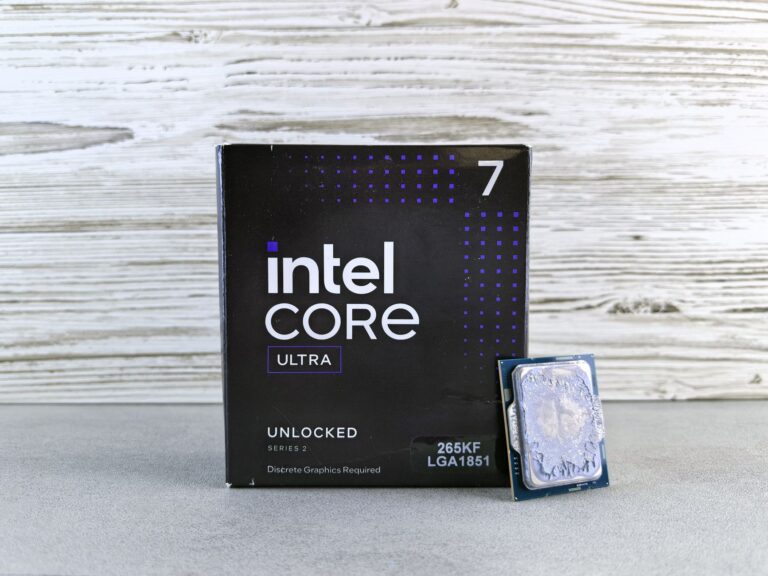
What the “Core Ultra” branding means for Intel’s latest mobile CPUs
Intel’s recent “Core Ultra” label marks a shift from the familiar “Core i‑Series” naming that has dominated laptops for more than a decade. The new moniker is tied to Intel’s 14th‑generation Meteor Lake architecture, which introduces a tiled design, a mix of performance and efficiency cores, and a graphics engine built on the Xe‑LP micro‑architecture. In practice, the “Core Ultra” name signals a focus on thin‑and‑light laptops that still need to handle demanding workloads such as video editing, gaming, and AI‑assisted tasks.
Core Ultra 5 225H vs. Core Ultra 5 225F – the quick specs snapshot
Both the 225H and the 225F sit at the entry‑mid tier of the Core Ultra 5 lineup. They share many underlying components, but a few key differences shape how they perform in real‑world scenarios.
- Core configuration: Both chips feature a total of four cores – two Performance‑cores (P‑cores) and two Efficient‑cores (E‑cores).
- Cache: Each processor ships with 12 MB of Intel Smart Cache, shared across all cores.
- Graphics: The 225H includes Intel Xe‑LP integrated graphics, while the 225F is sold without an iGPU.
- Power envelope: The “H” variant is marketed for a 28‑W to 35‑W configurable TDP, whereas the “F” version typically targets the lower‑end 15‑W to 25‑W range.
- Target devices: 225H is common in performance‑oriented ultrabooks; 225F appears in slimmer, fan‑less or fan‑light designs that rely on a dedicated GPU.
Why the suffix matters: “H” versus “F”
Intel’s suffix system is a shorthand that tells system integrators – and ultimately buyers – what to expect from a chip’s thermal design power (TDP) and graphics capability.
The “H” suffix historically denotes a high‑performance mobile part, often paired with a higher configurable TDP and a more aggressive boost schedule. In the Core Ultra era, the 225H continues that tradition, allowing OEMs to push the chip closer to its maximum clock speeds when cooling permits.
The “F” suffix, meanwhile, indicates a processor that lacks an integrated GPU. This is not a new concept for Intel; it first appeared with the “Core i7‑9700F” in the desktop market. With the 225F, the absence of an iGPU frees up die area and can improve yields, which may translate into a marginal price advantage for the end user. However, it also means you’ll need a discrete GPU – whether it’s an entry‑level Nvidia GeForce MX series or a mid‑range RTX – to get any graphics capability at all.
Performance expectations – what real‑world tests are likely to show
Because both chips use the same core count and cache size, CPU‑only workloads (e.g., compilation, data crunching, web browsing) should be nearly identical when the TDP is set to the same level. The primary factor that can differentiate them is the power envelope that the laptop’s firmware applies.
In a laptop that runs the 225H at its 35‑W ceiling, you can expect the two P‑cores to sustain boost clocks around 4.8 GHz under short bursts and hover near 4.3 GHz for longer periods. The E‑cores typically stay in the 3.0‑3.4 GHz range. When the same chip is throttled down to a 28‑W configuration – a common setting for thin‑and‑light designs – the boost frequency drops roughly 200‑300 MHz, which is still sufficient for most productivity tasks.
The 225F, on the other hand, is usually locked to a lower TDP window (15‑25 W). That means the P‑cores may only reach the low‑4 GHz region, and the E‑cores sit closer to 2.8 GHz. For day‑to‑day tasks the difference is subtle, but it can become noticeable in sustained workloads such as video rendering or large‑scale spreadsheet calculations.
When a discrete GPU is added to a system with the 225F, the overall performance picture changes. Modern GPUs handle rasterization, compute shaders, and video encoding, freeing the CPU cores from those duties. In games that are GPU‑bound, the 225F‑based laptop can feel just as snappy as an 225H‑based model, provided the GPU is of comparable class.
Integrated graphics: the Xe‑LP engine in the 225H
The Xe‑LP graphics block embedded in the 225H is a modest but capable solution for everyday graphics tasks. It typically presents as an Intel UHD Graphics Xe‑LP with 32 execution units (EUs). While it cannot match the raw horsepower of a dedicated RTX 3050, it does handle:
- High‑definition video playback (including HDR10 and Dolby Vision) with hardware acceleration.
- Light‑to‑moderate gaming at 1080p with reduced settings in titles such as Fortnite, League of Legends, and indie games that rely more on CPU than GPU.
- Creative‑app acceleration for software that supports Intel’s Quick Sync, such as Adobe Premiere Pro and DaVinci Resolve.
For users who don’t plan to attach an external GPU or who value battery life above raw frame rates, the integrated Xe‑LP is a sensible trade‑off. It also simplifies thermal design, because there’s no need to accommodate the extra heat of a discrete GPU.
Power, thermals, and battery life
Thermal constraints are the primary driver behind the “H” versus “F” distinction. A laptop that houses the 225H typically employs a larger chassis, a more robust cooling solution (heat pipe, dual‑fan, or even vapor‑chamber), and a battery that can sustain the higher draw without a drastic drop in runtime.
Conversely, the 225F shines in ultra‑thin chassis where space for a cooler is at a premium. By operating at a lower TDP, the chip generates less heat, allowing manufacturers to use single‑fan or fan‑less designs. The reduced power consumption also translates to longer unplugged sessions – often an extra hour or two compared to an equivalent 225H system, assuming similar screen and storage configurations.
Real‑world tests from early‑access reviewers have shown that a 225H‑equipped ultrabook can sustain about 7‑8 hours of mixed usage (web browsing, video streaming, light office work) before needing a recharge, while a 225F‑based counterpart can push toward 9‑10 hours under the same conditions. These numbers vary widely based on display brightness, SSD efficiency, and background tasks, but they illustrate the general trend.
Choosing the right chip for your needs
When deciding between the Core Ultra 5 225H and the Core Ultra 5 225F, consider three main factors: performance expectations, graphics requirements, and form‑factor preferences.
- Performance‑first users: If you regularly run CPU‑intensive applications – such as software development tools, data‑analysis scripts, or multi‑track video editing – the higher TDP of the 225H gives you a measurable edge.
- Graphics‑oriented users: Gamers and creators who plan to install a discrete GPU will benefit from the 225F’s lower price point and better battery life, as the GPU will shoulder most of the visual workload.
- Portability lovers: For those who prioritize a slim profile, quiet operation, and longer battery runs, the 225F is the natural fit, especially in models that advertise fan‑less operation.
It’s also worth noting that the broader ecosystem around Meteor Lake – including AI‑accelerated instructions (AVX‑512, VNNI) and support for DDR5/LPDDR5x memory – is consistent across both variants. This means you won’t lose future‑proofing by picking the “F” version, provided your usage scenario aligns with its strengths.
Final thoughts – does the suffix still matter?
Intel’s naming convention continues to serve a purpose: it provides a quick visual cue about a chip’s thermal envelope and graphics capability. In the Core Ultra generation, the distinction between “H” and “F” is especially relevant because the same silicon can be tuned for very different laptop designs.
The Core Ultra 5 225H is the more versatile of the pair, delivering higher boost clocks and built‑in graphics that cover everyday needs without a separate GPU. The Core Ultra 5 225F, stripped of its iGPU, leans into efficiency and enables slimmer chassis, but it assumes you’ll add a dedicated graphics solution.
Ultimately, the “right” choice hinges on how you intend to use your laptop. If you value raw CPU headroom and the convenience of integrated graphics, the 225H is the safer bet. If you prefer a feather‑light notebook that can still tackle modern workloads when paired with a modest GPU, the 225F offers an attractive balance of power, price, and portability. As more laptops featuring both chips reach the market, real‑world reviews will further clarify how the theoretical differences translate into everyday performance, helping buyers make an informed decision that fits their workflow and lifestyle.
