
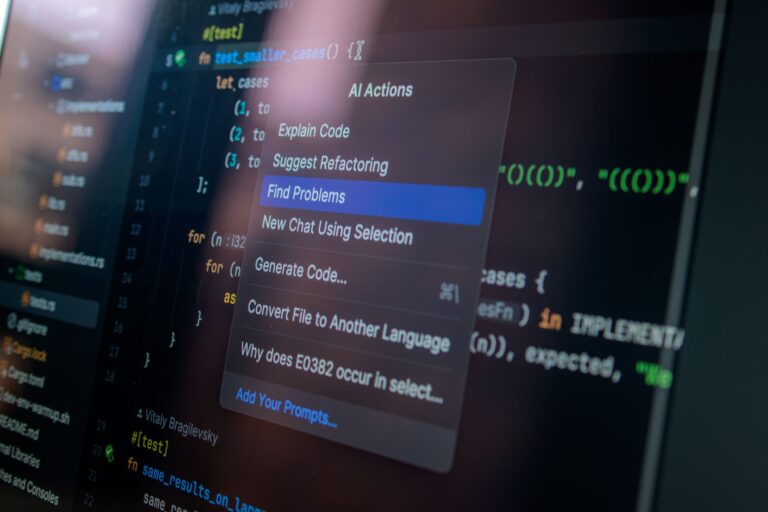
When the term “vibe coding” first surfaced in developer chat rooms, it described a state of flow where the code writes itself—or at least feels like it does. Today, a handful of AI‑powered assistants make that vibe more attainable than ever. They sit in the editor, suggest whole functions, spot bugs before you run the code, and even help you keep a consistent style across a project. Below, we explore the most trusted tools that are shaping the modern developer’s groove, how they differ, and what to consider before letting an algorithm join your coding jam session.
GitHub Copilot: The Early Trailblazer
GitHub Copilot, built on OpenAI’s Codex model, was one of the first AI pair programmers to ship as a mainstream VS Code extension. Its strength lies in contextual suggestions that appear as you type, ranging from single-line completions to entire class scaffolds. Because it’s tightly integrated with GitHub’s ecosystem, Copilot can surface relevant snippets from public repositories, which often speeds up boilerplate creation.
For vibe coding, Copilot’s “autocomplete on steroids” feel is a major draw. It learns from the surrounding code, so it tends to keep naming conventions and import patterns consistent. Developers who favor rapid prototyping appreciate the way Copilot can flesh out a function signature and even include inline comments that explain its own reasoning.
That said, Copilot is not a magic wand. Its suggestions sometimes rely on patterns that are too generic, and it can occasionally suggest code that mirrors licensed snippets without proper attribution. Many teams mitigate this risk by treating Copilot output as a draft rather than production‑ready code.
Amazon CodeWhisperer: Cloud‑First Assistance
Amazon’s CodeWhisperer targets developers building on AWS services. Integrated with IDEs such as IntelliJ, PyCharm, and VS Code, it offers context‑aware suggestions that include API calls specific to AWS SDKs. If your vibe coding sessions revolve around serverless functions, DynamoDB interactions, or infrastructure‑as‑code templates, CodeWhisperer can surface the exact method signatures you need without hunting through documentation.
A notable feature is the “security‑first” mode, which flags potential vulnerabilities—like hard‑coded secrets—before you commit. This aligns well with a smooth coding flow, because catching a security issue early prevents a jarring stop later in the development cycle.
Because it’s part of the Amazon ecosystem, CodeWhisperer also respects IAM permissions, ensuring that the suggestions you see are relevant to the resources you’re authorized to use. The trade‑off is that it shines brightest when you’re already invested in AWS; developers working primarily on other clouds may find the relevance less striking.
Tabnine: Language‑Agnostic Flexibility
Tabnine distinguishes itself by supporting more than 30 programming languages and a wide variety of editors, from Vim to JetBrains IDEs. Its core engine is based on the open‑source GPT‑2 model, fine‑tuned for code, and it offers both cloud‑based and on‑premise deployment options. This flexibility is valuable for teams that have strict data‑privacy policies or that work across a heterogeneous stack.
From a vibe perspective, Tabnine excels at maintaining a consistent tone across languages. If you switch between a Python microservice and a TypeScript front‑end, Tabnine’s suggestions tend to carry a similar stylistic fingerprint, which can help preserve the “feel” of a project when multiple languages are involved.
Tabnine also includes a “team‑learning” mode, where the model adapts to the specific patterns of your codebase over time. While this can improve relevance, it requires a modest amount of training data and a willingness to let the model observe internal repositories.
Cursor: The Full‑Screen IDE Experience
Cursor takes a different approach by embedding an AI assistant directly into a lightweight, full‑screen editor. Rather than merely completing lines, Cursor can execute natural‑language commands such as “create a login page with validation” or “refactor this loop into a map operation.” The tool then generates the requested code and inserts it where appropriate.
For developers who enjoy a conversational workflow, Cursor feels like a chatty pair programmer that can also act as a quick documentation lookup. Its UI presents the AI’s reasoning in a collapsible panel, so you can see why a particular suggestion was made before accepting it.
One practical benefit for vibe coding is the “instant debugging” feature: you can describe an error message, and Cursor will propose a fix, sometimes even suggesting a test case. Because the tool runs locally, there’s no latency from sending queries to a remote server, which keeps the rhythm of coding uninterrupted.
Claude (by Anthropic) for Code: Thoughtful, Safe Output
Anthropic’s Claude model has been praised for its emphasis on safety and interpretability. While Claude is a general‑purpose chatbot, developers have adopted it for coding tasks through integrations with IDE extensions and command‑line tools. Its strength lies in generating well‑explained code snippets and offering step‑by‑step problem‑solving guidance.
When you ask Claude to “write a function that parses CSV files with error handling,” it typically returns a complete snippet accompanied by inline comments that walk you through each decision point. This explanatory style helps maintain a steady vibe, especially when you’re tackling unfamiliar APIs or legacy code.
Claude’s conservative tone can be a double‑edged sword. It tends to avoid overly clever one‑liners, favoring clarity over brevity. For developers who value readability and want to keep the codebase approachable, that trade‑off feels like a win; for those who thrive on terse, “golfed” solutions, it may feel a bit slower.
Choosing the Right Companion for Your Vibe
Every AI coding assistant brings its own flavor to the development experience. Below is a quick checklist to help you match a tool to the workflow you want to preserve.
- Project ecosystem: If you live on AWS, CodeWhisperer’s service‑specific insights are hard to beat.
- Language diversity: For polyglot teams, Tabnine’s broad coverage keeps the vibe consistent across stacks.
- Interactive workflow: Cursor’s natural‑language commands turn brainstorming into instant code.
- Safety and explainability: Claude’s thorough explanations help maintain confidence in the generated output.
- Integration depth: Copilot’s tight coupling with GitHub and VS Code makes it feel native for many open‑source contributors.
Beyond the tool itself, the most important factor is how you incorporate its suggestions into your development rhythm. Treat AI output as a collaborative draft: review, test, and refactor before merging. By keeping a habit of regular code reviews—even when an AI wrote the initial version—you preserve both code quality and the creative momentum that defines vibe coding.
In practice, many developers end up using a combination of these assistants. You might start a new feature with Copilot’s rapid scaffolding, switch to CodeWhisperer for cloud‑specific calls, and call on Claude when you hit a tricky algorithmic problem. The key is to let each tool play to its strengths while staying mindful of the overall flow of your work.
As AI continues to evolve, the line between human intuition and machine suggestion will blur even further. For now, the best vibe coding experience comes from choosing an assistant that feels like a natural extension of your thought process, rather than a disruptive overlay. With the right mix of tools, you can keep your code humming, your mind clear, and your projects moving forward—one intelligently generated line at a time.
