
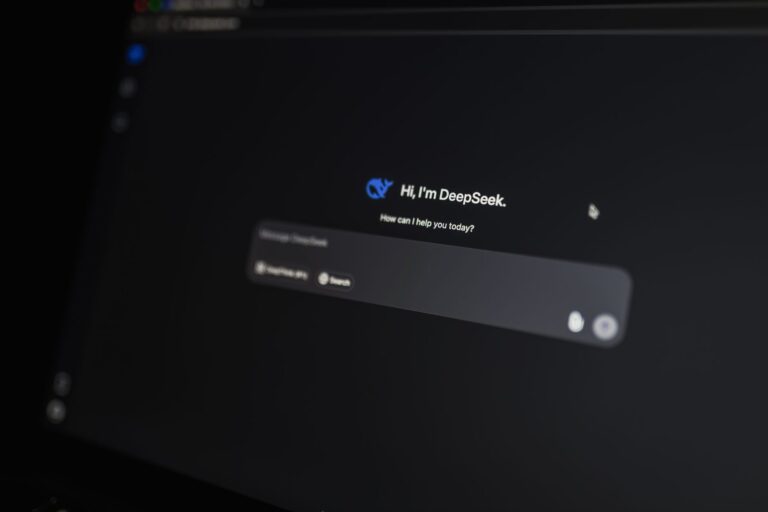
Why 2026 Is a Turning Point for AI Assistants
The past few years have turned AI assistants from novelty gadgets into indispensable daily partners. With advances in large language models, multimodal perception, and edge computing, the assistants we rely on now can understand context, handle complex tasks, and respect privacy in ways that would have seemed futuristic just a handful of years ago. In 2026 the market reflects that shift: you’ll find assistants that can draft emails, schedule meetings, generate code snippets, and even help you plan a weekend hike—all while learning from you without constantly sending data to the cloud.
Because the ecosystem has grown so quickly, it’s worth stepping back and looking at the landscape through a few practical lenses: voice fluency, conversational depth, cross‑device integration, multimodal capabilities, and privacy safeguards. Below, we break down the assistants that consistently excel in those dimensions and explain what makes each one a strong choice for different user needs.
1. Voice‑First Leaders: The Still‑Powerful Trio
When you think of a “voice assistant,” the first names that usually pop up are Google Assistant, Amazon Alexa, and Apple Siri. In 2026 they remain relevant, but each has evolved to address the shortcomings that long‑time users complained about.
- Google Assistant – Leveraging Google’s massive knowledge graph, the assistant now offers more natural follow‑up queries. Ask “What’s the weather tomorrow?” then say “What about Friday?” and it keeps the context without needing a full re‑prompt. Integration with Android’s on‑device AI chips also means many commands run locally, reducing latency.
- Amazon Alexa – Alexa’s biggest improvement is its “Skill Hub.” Developers can publish mini‑apps that run on the device, letting you control smart‑home routines, order groceries, or even run a quick meditation without contacting the cloud. The result is faster responses and a broader ecosystem of third‑party tools.
- Apple Siri – Siri now benefits from Apple’s focus on on‑device processing. Personal data like contacts and calendar events stay on your iPhone, iPad, or Mac, while Siri uses a compressed language model that can answer most everyday questions without needing a network round‑trip.
All three assistants support multiple languages, offer robust smart‑home control, and have matured to a point where they can handle multi‑step tasks (e.g., “Find a recipe for chicken curry, add the ingredients to my shopping list, and set a timer for 30 minutes”). The decision among them often comes down to which ecosystem you’re already invested in.
2. Chat‑Centric Companions: From Text to Full Conversations
Beyond the traditional “wake‑word + command” model, a new breed of assistants treats conversation as a continuous, context‑aware experience. These chat‑centric tools excel on desktop, mobile, and web platforms where typing or reading a response feels natural.
The most notable examples in 2026 include:
- OpenAI ChatGPT (Assistant Mode) – OpenAI’s model can be summoned as an “assistant” in its own app or embedded in partner services. It shines in drafting documents, summarizing long articles, and providing step‑by‑step troubleshooting for software issues.
- Anthropic Claude (Assistant Edition) – Designed with a “constitutional AI” approach, Claude focuses on safety and clarity. Users report fewer misunderstandings when asking for nuanced advice, such as “Explain the tax implications of selling a freelance project.”
- Microsoft Copilot (Chat Integration) – Integrated into Microsoft 365, Copilot lets you ask for a polished PowerPoint slide, a data‑driven Excel chart, or a summarized Teams meeting transcript—all within the familiar Office environment.
These assistants excel at tasks that require deeper reasoning or content generation, and they typically operate with a conversational history that spans minutes or even days, allowing them to remember preferences (like a favorite coffee roast) and reference past interactions.
3. Multimodal Masters: Seeing, Hearing, and Acting
AI assistants are no longer limited to voice or text. Multimodal assistants can process images, video, and even live sensor data to provide richer assistance.
Two products illustrate how multimodality is becoming mainstream:
- Samsung Bixby Vision+ – Bixby now combines on‑device image recognition with language understanding. Point your phone’s camera at a product label and ask “What are the nutrition facts?” or “Can I find a similar recipe?” The assistant returns a concise answer and can add items to a grocery list.
- Meta AI Assistant (AR Lens) – Integrated with Meta’s mixed‑reality headsets, this assistant overlays helpful information in real time. While cooking, it can display temperature curves on the stove; during a home repair, it can highlight the exact screw size needed.
These capabilities are especially useful for professionals who work with visual data—designers, engineers, and healthcare workers—because the assistant can annotate, summarize, or suggest actions directly on the visual content.
4. Privacy‑First Options: Keeping Data Local
As AI assistants become more capable, concerns about data collection have intensified. Several companies have responded by building assistants that prioritize on‑device processing and transparent data policies.
Key privacy‑focused assistants include:
- Apple Siri (on‑device mode) – Apple’s latest iOS update adds an optional “Local‑Only” setting. When enabled, Siri answers most queries using a compressed model stored on the device, and no voice recordings are uploaded unless you explicitly opt in.
- Brave AI Assistant – Developed by the browser that blocks trackers by default, Brave’s assistant runs inside the browser sandbox, using a model that downloads once and never leaves your machine. It can answer questions, draft emails, and summarize pages without contacting external servers.
- Mycroft AI (Open‑Source) – A community‑driven project that lets users install a voice assistant on a Raspberry Pi or personal server. Because the software is open source, you can audit the code, disable cloud services, and even train a custom model on your own data.
Choosing a privacy‑first assistant often means accepting a slight trade‑off in breadth of knowledge—cloud‑based assistants have access to the latest internet data. However, for many users the assurance that personal conversations stay private outweighs the occasional need to look up obscure facts.
5. Integration Depth: How Seamlessly Assistants Fit Into Your Life
Beyond raw intelligence, an assistant’s real value lies in how well it weaves into the devices and services you already use. In 2026, the most successful assistants are those that act as a “single source of truth” across phones, laptops, smart speakers, wearables, and even cars.
Here’s a quick overview of integration strengths:
- Google Assistant – Deeply embedded in Android, ChromeOS, and the Google Home ecosystem. It also works on iOS via an app, and Google’s “Assistant Relay” lets you forward commands to third‑party services like Spotify or Uber.
- Amazon Alexa – Powers a wide range of Echo devices, Fire TV, and a growing number of third‑party speakers. Alexa’s “Guard” feature integrates with security cameras and doorbells, enabling voice‑controlled home monitoring.
- Microsoft Copilot – Embedded across Windows, Office, Teams, and Azure, allowing you to summon assistance from any productivity context without switching apps.
- OpenAI ChatGPT (Assistant Mode) – Available as a web app, iOS/Android apps, and via API for developers. Many third‑party tools now embed ChatGPT as a sidebar assistant, turning it into a “universal overlay” for any software.
When evaluating an assistant, consider the devices you own and the workflows you follow. The best experience usually comes from an assistant that can follow you from a kitchen speaker to a car dashboard without losing context.
6. Choosing the Right Assistant for Your Needs
With so many capable options, the decision often comes down to personal priorities. Below is a quick decision guide to help you match an assistant to your lifestyle:
- If you live in a Google‑centric ecosystem – Google Assistant offers the smoothest cross‑device experience and the most up‑to‑date search results.
- If you value voice‑first smart‑home control – Amazon Alexa’s expansive Skill library and hardware lineup give it a practical edge.
- If privacy is non‑negotiable – Apple Siri in Local‑Only mode, Brave’s on‑device assistant, or Mycroft’s open‑source platform keep data on your hardware.
- If you need advanced writing or coding help – OpenAI’s ChatGPT and Anthropic’s Claude provide strong generation capabilities, especially when paired with the appropriate desktop or browser integration.
- If you work heavily with visual content – Samsung Bixby Vision+ and Meta’s AR Lens bring real‑time image understanding to the table.
Remember that many of these assistants can coexist. For example, you might use Google Assistant for day‑to‑day scheduling, ChatGPT for drafting reports, and Mycroft on a Raspberry Pi for offline home automation. The key is to let each assistant play to its strengths rather than forcing a single tool to do everything.
7. Looking Ahead: What 2027 Might Bring
While this article focuses on the landscape of 2026, a few trends hint at where AI assistants will go next year:
- Continued on‑device model compression – As hardware improves, we’ll see more assistants handling complex queries without internet access, further enhancing privacy and speed.
- Unified conversation histories – Standards are emerging that could let you carry a conversation seamlessly across platforms, so you could start a query on a phone and finish it on a car’s infotainment system.
- Personalized “assistant personas” – Users may soon choose the tone, humor level, or even a visual avatar for their assistant, making interactions feel more personal.
- Greater regulatory clarity – With governments worldwide drafting AI transparency rules, assistants will likely provide clearer explanations of how they use data and generate responses.
All of these developments aim to make AI assistants feel less like tools and more like trusted partners. Whether you prioritize convenience, creativity, or confidentiality, the choices available today set a solid foundation for a future where an intelligent assistant truly knows how to help—without overstepping.
